If you have started searching that, something about Circle has stopped fitting -
the price, the lock-in, the rented-land feeling. Here is the honest version: the
real reasons people look elsewhere, whether BuddyNext is a genuine answer, the
other options worth a look, and how to actually move.
Circle is a genuinely good product, so people rarely leave because it is bad. They leave because the maths and the ownership stop adding up as the community grows.
→The monthly bill climbs. Circle has no free plan, and the tiers that unlock the features most communities actually want (a branded app, more admins, lower fees) sit well up the pricing ladder.
→There is a cut of your revenue. On top of Stripe or PayPal, Circle takes a per-transaction platform fee that scales with how well you do - the more you earn, the more it costs.
→Your community lives on someone else's infrastructure. Members, posts and messages sit in Circle's database, and the terms and pricing can change under you.
→No real ownership or portability. You work within Circle's export options rather than holding the data yourself, which makes any future move feel risky.
→You already run WordPress, and paying a separate SaaS monthly for something you could host alongside your site starts to feel redundant.
None of this means Circle is a bad product - for plenty of communities it is the right call.
These are simply the friction points that send people looking, stated fairly.
The case for BuddyNext
Why BuddyNext is a strong Circle alternative.
BuddyNext is a self-hosted community platform for WordPress. The whole idea is the
opposite of renting: you own the data, you pay for hosting instead of a platform cut,
and you start free. Here is where that pays off against Circle.
✓Circle bundles community, courses, and events as a hosted product; BuddyNext is a whole platform built in-house by one team - forums, a job board, a marketplace, and gamification alongside community, courses, and events - and you own the whole thing on your own site rather than renting it.
✓Circle has raised prices and shuffled tiers more than once; when your community lives in your own WordPress database, no vendor can reprice or re-tier the ground under you. You hold the members, posts, and messages.
✓No per-member monthly fee and no platform cut of your revenue. You pay for hosting and an optional Pro license, not a percentage of every transaction.
✓BuddyNext ships a full free community you can launch today, with no licence key and nothing set to expire. Circle has no free plan at all, only a trial that runs out.
✓A free REST API, theme-level restyling through CSS tokens, and the whole WordPress plugin ecosystem behind you. Circle is a closed, hosted product you can only configure within its own settings.
✓Portability is built in: because the community lives in WordPress, you can move hosts, extend it, or rebuild the front end on your own terms instead of being held inside one vendor's walls.
We would rather you pick the right home than just pick ours. If BuddyNext is not your
fit, these are real options worth a look - each suits a different kind of community.
Mighty NetworksAnother polished hosted SaaS, stronger on native courses and a built-in audience.
SkoolSimpler and flatter-priced, with gamification at the centre - good if you want fewer knobs.
BuddyNextThe self-hosted route: own the data, no platform cut, complete free tier.
No fairy tales
How to switch - honestly.
Circle is hosted, so you are working with its export tools rather than lifting a database you already hold. Treat the move as a real project: export your members and content, stand up your new home on a staging site first, import and check everything, and only then point your domain across and invite members over.
1Plan it as a real project. A community move is migration work, not a button. Give it a window and a checklist, not an afternoon and a hope.
2Export your data first. Pull out your members, content and anything you can from Circle before you touch the new platform, so nothing depends on access you might lose.
3Build and test on staging. Stand up BuddyNext on a staging copy of your site, import everything, and check messaging, spaces and access actually work before any member sees it.
4Cut over and bring people across. Point your domain at the new home, invite your most active members first, and run both in parallel for a short while rather than flipping everyone at once.
Anyone selling you a magic one-click migration off a hosted platform is overselling it.
Done as a real project, though, the move is very doable - and you only do it once.
Circle gives you CSV files for your people and a request route for the rest. BuddyNext has no importer for Circle, so the move is an invitation plus a rebuild. Here is how to run it without losing the members who matter.
What to export from Circle first
Circle's help centre (checked in October 2026) describes several exports, and they cover different things. Pull each one that applies to you before you touch the new site, and check what your own plan allows, since some admin features sit on higher plans.
Member CSVs per space or space group. On a space's Members tab an admin can use Download CSV, and the file is emailed to the admin address. It carries name, email, role, joined date and last active date. Space groups work the same way.
The member list from Manage audience. That page lists members with filters such as tag, role, space access, paywall subscription and join date. Circle also documents a member CSV export, so look for the export option on that page and confirm which filters it respects.
A full community data export. Only admins can request it, by emailing Circle support. It arrives as CSV files covering members, spaces, posts, comments and events. The posts and comments files do not include uploaded media, so images and files need saving separately.
Paywall subscriptions and transactions. Circle documents a separate export of member subscription and transaction data. If you charge for access, this is the record of who pays and when.
Event attendees. The attendee list downloads as a CSV, and it includes only people who confirmed they were going, not people who were invited and never replied.
Open every file once and check it. The posts file is the most useful thing you will get for rebuilding, because it holds the text of every post with its author and date. Save your own copies of course videos, documents and images, since the text exports leave media behind.
What BuddyNext can bring in, and what it cannot
The free BuddyNext Importer plugin reads BuddyPress and BuddyBoss. It does not read Circle. Nothing crosses over by itself: members get invitations and you rebuild the content you want to keep.
Bulk invites by CSV, in the free plugin. Under Members, the Invites tab takes a file with an email and an optional first name on each row, up to 500 rows per upload. You can resend or revoke an invite, and send single ones.
Space invite links with an expiry of a day, a week, a month or never, an optional cap on uses, and a revoke button.
Auto-join, so a new member lands in your Welcome Space and any other space you choose at signup. You can limit auto-join to members of chosen types.
A member export of your own. The Members screen has an Export CSV button with ID, login, email, display name, registration date and suspension status. When you leave one platform you are always glad of the next one's export.
Sign in with Google, Facebook, GitHub, Discord or Apple, if you set up each provider. It saves people a password on the first visit.
The text of your old posts is the part you rebuild. You will not republish thousands of posts, and you should not try. Choose the evergreen ones: onboarding posts, the answers people keep asking for, the rules. Post them as announcements or discussion threads and link to them from your welcome message. A developer can script a bulk load through the BuddyNext REST API if the archive really matters, but that is custom work, not a feature.
Mapping Circle to BuddyNext
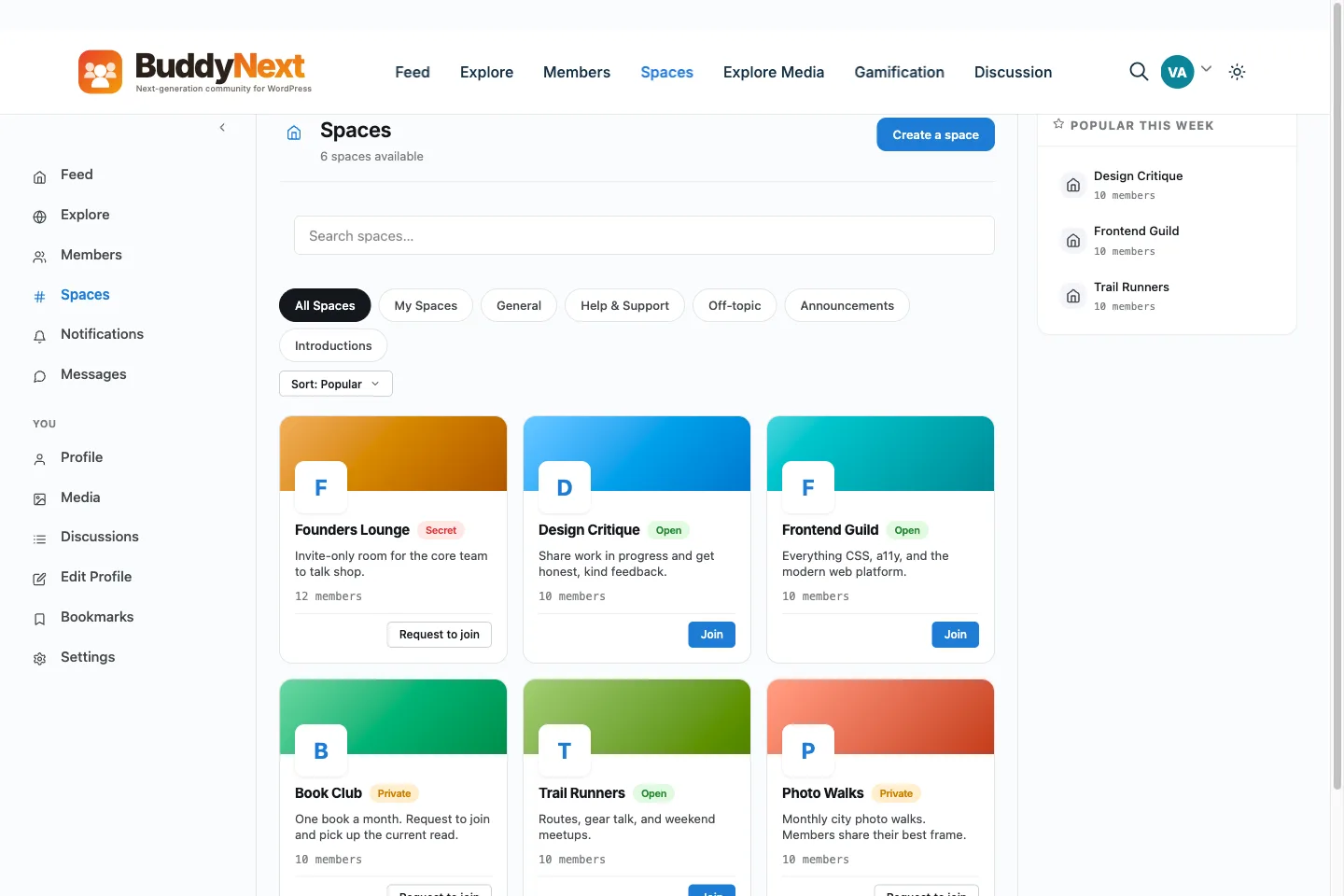
Circle organises a community into spaces and space groups. BuddyNext uses spaces too, and the closest match to a space group is a space category or a sub-space. Spaces have three kinds of visibility: open, private and secret, and a secret space stays out of search.
Spaces become spaces. Space groups become categories, or a parent space with sub-spaces, two levels deep.
Paywalled spaces become Pro membership plans. A plan can open one or several spaces, and a space can be opened by several plans.
Course content becomes Learnomy courses. Learnomy is a separate LMS plugin, and the bridge that ties it to BuddyNext is in BuddyNext Pro.
Events become Eventonomy events, again with the bridge in BuddyNext Pro. BuddyNext does not host live video, so keep the tool you use for live sessions and put its link in the event.
Automations. BuddyNext accepts signed requests from Make, Zapier and n8n to grant, extend or cancel a plan (that part needs Pro), and it can send outbound webhooks. Rebuilding a long automation chain is real work, so list yours now.
The move, step by step
1Request the full data export from Circle support first, since it is the slowest item. Download the CSVs you can get yourself while you wait.
2Decide per space: move, merge or retire. Write the list down and keep it.
3Install BuddyNext on a staging site and create the spaces, categories and welcome flow. Pick each space's visibility.
4Add payments if you charge. Create a plan for each Circle paywall, connect Stripe or PayPal, and attach each plan to the spaces it opens. Create a coupon if you want to give movers a founding discount.
5Rebuild the posts that matter and pin the welcome post in the first space.
6Invite a small group of active members from a CSV. Ask them to try signup on a phone, post, react, and open a gated space.
7Announce the date in Circle, then invite everyone in batches, so the first week is calm and your email host does not throttle the invitation mail.
8Switch the old community to read-only or archive it on the date you gave, after your active members have moved.
Keeping Circle running while you move
Stay on your current Circle plan until the new site is where members answer each other. Check what a downgrade or cancellation changes for admins and exports before you do it.
Put the new link at the top of the old community and in your Circle emails, and give the date the old one stops.
Answer questions only in the new place after launch. Redirect people politely rather than answering twice.
Hold paid members until last. BuddyNext cannot take over a subscription made on Circle, so each payer subscribes on the new site, or you record the payment they have already made with the Add order form in BuddyNext Pro. Agree the old billing end date with each one so nobody pays twice.
What you get instead, and which tier it is
Free: feed with polls, spaces, profiles with custom fields, a directory with member types, notifications, hashtags, reports and a moderation queue, and a REST API.
Free, with companions: direct messages on WPMediaVerse, and discussion forums per space on Jetonomy. Group conversations need WPMediaVerse Pro.
BuddyNext Pro: memberships with monthly or annual billing, coupons, invoices, gated spaces, broadcast email and drip sequences, scheduled posts, analytics, member labels and live updates through a Pusher-compatible server.
One difference to plan for: Circle bundles live rooms, workflows and a branded app in one place, and BuddyNext spreads the same jobs across plugins you choose. That freedom costs setup time. If the bundle is what you value, say so honestly to yourself before you move.
Work out the cost with your own numbers
No figure on this page stands in for yours. Add up what Circle charges you in a year, including any transaction fee on payments. Then add hosting, the BuddyNext Pro licence if you need payments, and the fee your payment processor charges, which you pay on any platform. Put your own time on the other side of the sum.
What it costs you
Honestly, where the money goes
Switching costs something either way, so here is our side of it in plain terms rather than only Circle's.
Free, and it is a working community
Unlimited spaces, a filterable member directory, notifications and the full report-and-moderate queue are all in the free plugin, with direct messages through the free WPMediaVerse companion. It is not a trial that expires or a seat cap you grow into.
Nobody bills you per member
Circle prices by how many people show up, so success raises the invoice. BuddyNext does not count your members: it runs on your own WordPress, so growing the community costs you hosting, not a bigger plan.
Moderation is not an upsell
The report button, the admin review queue, the moderation log, and dismiss, remove, warn, strike and suspend are free. A community with no way to settle an argument is not one, so it is not sold back to you separately.
A lifetime option exists
Pro is $149 a year, or $399 once. Stop renewing and the community keeps running, because the free plugin is what it is built on rather than a crippled version of it.
Circle pricing: A hosted SaaS billed monthly, with public tiers climbing for larger plans, plus a per-transaction fee on payments (depending on tier, on top of Stripe/PayPal fees). No free plan, but a trial is offered. Verify current pricing and fees on circle.so.
Sandbox demo
Try it on a live demo community
One click builds a private copy of our demo community, with members, spaces and posts already in it. InstaWP asks for an email to create it, it lasts four hours, and nobody else sees what you change.
The main Circle alternatives are Mighty Networks, Skool, and BuddyNext. Mighty Networks: Another polished hosted SaaS, stronger on native courses and a built-in audience. Skool: Simpler and flatter-priced, with gamification at the centre - good if you want fewer knobs. BuddyNext: The self-hosted route: own the data, no platform cut, complete free tier. The right one depends on what made you look.
Is BuddyNext a good alternative to Circle?
For people leaving Circle to own their stack, yes. BuddyNext is self-hosted on WordPress, so your members and content live in your own database, there is no per-month platform fee or cut of your sales, and there is a genuinely complete free tier to start on. The trade is that you (or your host) run WordPress. If you want zero maintenance above all, a hosted option may suit you better - and we say so.
Can I move my community from Circle to BuddyNext easily?
Be honest with yourself here: plan it as a real project, not a one-click switch. Export your members and content, rebuild on a staging site first, check everything survived the move, then point your domain across and invite people over. Anyone promising a magic one-click migration off a hosted platform is overselling it.
Is BuddyNext cheaper than Circle?
Usually, over time. BuddyNext has a complete free tier and an optional annual Pro license; your main running cost is your own hosting, with no monthly platform fee and no cut of your revenue. Circle's ongoing cost depends on its plan and any fees. Run your own numbers, but for a growing community the ownership model tends to win on cost.
WBComDesigns is amazing. The WP plugins and themes are of top notch quality with lots of features and updated very frequently. Supports are very responsive and helpful. I use Reign with TutorLMS, and the experience is surprisingly smooth. The recently launched BuddyNext Pro and MediaShield Pro are…
Hoang Phan · VN ·
WBCOM Designs is Amazing!
WBCOM Designs has constantly updated and supported their plugins and themes. Recently the new BuddyNext project is Amazing! - and the new line of addons like Mediaverse, Jetonomy, Mediashield, and Listora.. are likewise Amazing! - and very well built. Today their online Chat solved a download…
Edward S. · US ·
I am really glad to have known BuddyX…
I am really glad to have known BuddyX Pro Team led by Mr.Varun Dubey. I had a challenge of mobile responsiveness and after I brought the issue to their attention, they were able to address it promptly. They also made a follow-up on my experience after resolving the issue. I highly recommend WBcom…
Moses Gitonga Ntiritu · KE ·
Its response rate and working very well…
Its response rate and working very well I appreciate and am very happy to work with this webmaster.
Ali Raza · PK ·
Wonderful support!
I've been developing a relatively complex website for my business, and my development experience is pretty limited. As expected, I ran into a number of difficulties, and ach time, the Wbcom team helped me resolve my issues quickly and patiently. I can't recommend their products and support enough!
Paris · NZ ·
Prompt and Professional Support
I recently had a fantastic experience with the Wbcom Designs support team. They were incredibly prompt, warm, patient, and friendly as they helped me resolve an issue with my website. I truly appreciate the complexity of troubleshooting website-related issues, as each one is unique, and users often…
Boris Petrov · TH ·
Great support
Great support; the issue was resolved perfectly well.
Fast Incorporated · NG ·
Fantastic 6 star support
Fantastic 6 star support. I wanted to setup a membersite and tried many solutions. I contacted Wbcom for BuddyX and tried the theme with Buddypress. I am not a webdesigner or a coder, but had a requirement that was not standaard. I contacted WBcom and Pallavi helped me from start to finish with…
Hubert · IT ·
Great way of support
Great way of support! Thanks a lot! Direct responding, open for questions and very fast to the right solution!
Ron Henkes, training en begeleiding · NL ·
Fast Respond & Troubleshooting With…
Fast Respond & Troubleshooting With technical insight