If you have started searching that, something about Skool has stopped fitting -
the price, the lock-in, the rented-land feeling. Here is the honest version: the
real reasons people look elsewhere, whether BuddyNext is a genuine answer, the
other options worth a look, and how to actually move.
Skool's whole appeal is doing less - one feed, one classroom, gamification, flat price. People look past it not because it is broken, but because they outgrow that deliberate simplicity or want to stop renting their community.
→The cheap entry plan takes 10% of what you charge members; the higher flat tier cuts that to 2.9% rather than removing it (Skool's pricing page, checked 26 Oct 2026).
→Deliberately few settings. Once you want custom space types, granular moderation or a different layout, the simplicity that sold you starts to be a ceiling.
→Your group lives on skool.com, on Skool's infrastructure - not on a domain and database you own.
→Limited SEO and public discovery. A Skool group is not the indexable, public community you get on your own site.
→No real free tier to fall back to, and no way to self-host if you want to own the stack.
None of this means Skool is a bad product - for plenty of communities it is the right call.
These are simply the friction points that send people looking, stated fairly.
The case for BuddyNext
Why BuddyNext is a strong Skool alternative.
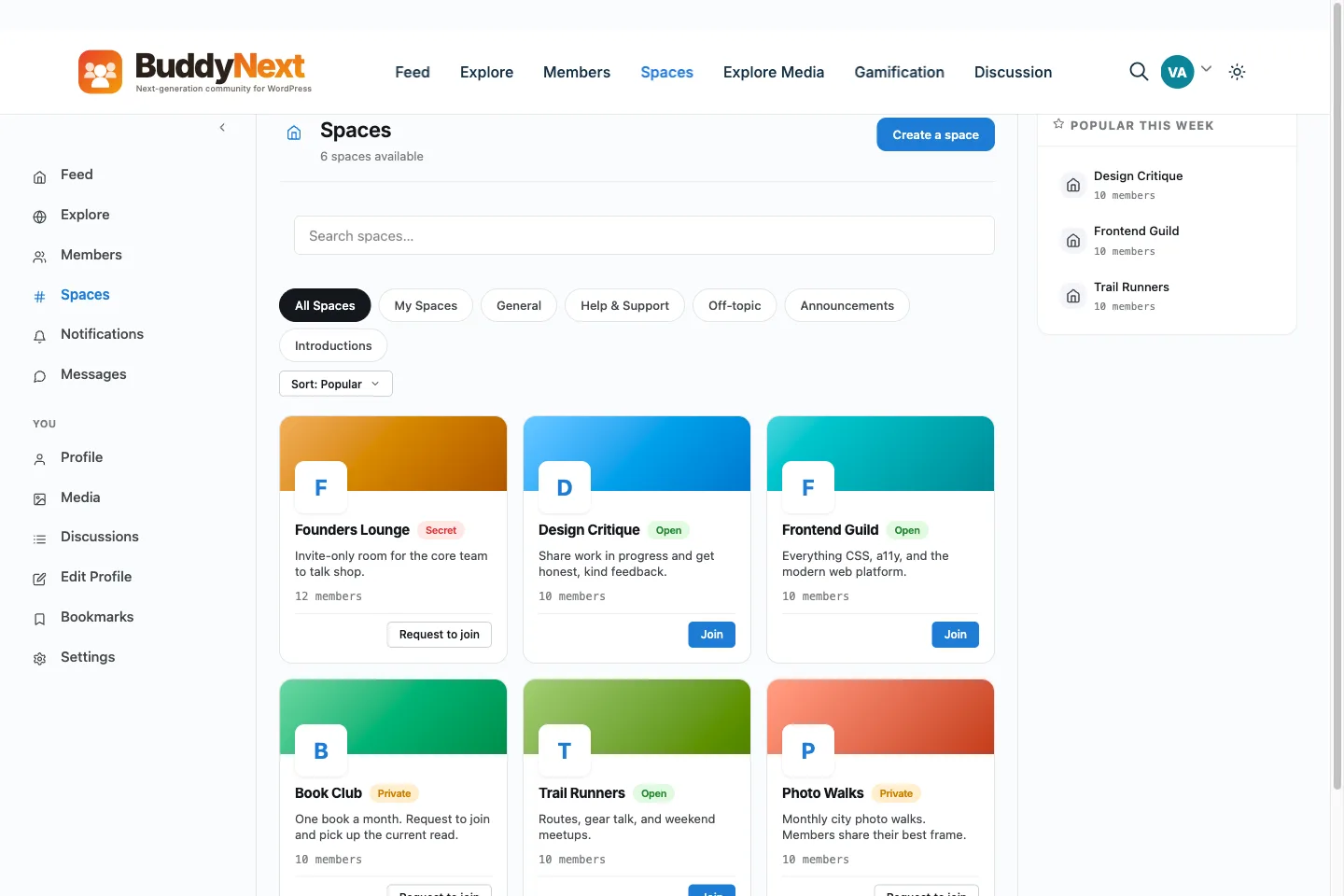
BuddyNext is a self-hosted community platform for WordPress. The whole idea is the
opposite of renting: you own the data, you pay for hosting instead of a platform cut,
and you start free. Here is where that pays off against Skool.
✓Skool bundles a community feed, courses, and gamification into one hosted screen; BuddyNext is a whole platform built in-house by one team - forums, events, a job board, and a marketplace alongside community, courses, and gamification - and you own it on your own site rather than on a skool.com URL.
✓Your members, posts, courses, and messages sit in your own WordPress database rather than on a skool.com group URL you do not control. Skool can adjust its tiers or fees; the community you have built on BuddyNext is unaffected because you hold it.
✓You can launch a full community on the free core - feed, spaces, profiles, notifications, and a moderation queue (direct messages run on the free WPMediaVerse plugin) - with no key and no expiry. Skool has no real free plan, only a trial.
✓No platform cut on the entry path. Skool's cheap tier takes a cut of what you charge; with BuddyNext the only fee on a sale is your own payment processor's.
✓Far more depth and control: multiple space types, granular moderation, gamification through WB Gamification, a free REST API, CSS-token restyling, and the whole WordPress ecosystem to extend with. Skool trades depth for simplicity by design.
✓Public, SEO-friendly community pages on your own domain. Skool groups live on Skool; a BuddyNext community is part of your WordPress site, indexable and fully yours.
We would rather you pick the right home than just pick ours. If BuddyNext is not your
fit, these are real options worth a look - each suits a different kind of community.
CircleMore polished and configurable while staying hosted - if you like SaaS but want more room.
Mighty NetworksStronger courses and discovery, still hosted.
BuddyNextSelf-hosted, far deeper, with gamification available via integration and nothing taken from your sales.
No fairy tales
How to switch - honestly.
Skool is hosted and intentionally lightweight, so there is less to export but also no database to lift directly. Plan it properly: pull your members and course/classroom content out, rebuild the structure on a staging site, confirm members and access map across, then point your domain at the new home and migrate people over in a window you control. The <a href="/migrate/skool/">Skool migration plan</a> sets out what to export and what to rebuild.
1Plan it as a real project. A community move is migration work, not a button. Give it a window and a checklist, not an afternoon and a hope.
2Export your data first. Pull out your members, content and anything you can from Skool before you touch the new platform, so nothing depends on access you might lose.
3Build and test on staging. Stand up BuddyNext on a staging copy of your site, import everything, and check messaging, spaces and access actually work before any member sees it.
4Cut over and bring people across. Point your domain at the new home, invite your most active members first, and run both in parallel for a short while rather than flipping everyone at once.
Anyone selling you a magic one-click migration off a hosted platform is overselling it.
Done as a real project, though, the move is very doable - and you only do it once.
A move plan for a Skool community, including the fixed structure.
Skool's simplicity is also its limit: one group, one feed, one classroom. People who move usually want to split that apart. This guide covers what you can take out of Skool, what BuddyNext cannot import, how to organise the new structure, and how to move without dropping your paying members.
What to export from Skool first
Skool's help centre (checked in October 2026) is thin on exports, so be careful here and verify on your own group before you plan around anything.
What is confirmed: the Members tab has an Export button. Skool's help article says it exports members' answers to your membership questions. A post in a Skool community from June 2024 says the same export includes members' email addresses for paid groups. That is a community post, not official documentation, so open the file and see what you actually get.
What is not confirmed is any built-in export of your posts, comments or classroom lessons. Assume they do not come out until you have proved otherwise on your own group.
Export the members list now and check the columns. If emails are missing, you cannot invite those people, so find out today, not on launch day.
Export the membership question answers. They tell you who each person is and why they joined, which you will want when you rebuild profiles.
Download your own source files for every classroom lesson. Keep the original videos, documents and images you uploaded, not links to them on Skool.
Copy the posts you cannot lose into a document: pinned posts, rules, the best answers and any announcement people still link to.
Write down your gamification settings: what earns points, the level names and the rewards you attach to them, so you can rebuild the same ladder.
Note any leaderboard prizes or perks you have promised, so the new site honours them.
If emails are not in your export, ask members for one in a post on Skool before you do anything else. An email you hold yourself is the only contact route that survives the move.
What BuddyNext can bring in, and what it cannot
The free BuddyNext Importer plugin moves a BuddyPress or BuddyBoss community. It has nothing for Skool. Members are invited to new accounts, and you rebuild the content.
Bulk invites by CSV in the free plugin: an email and an optional first name per row, up to 500 rows per upload, with resend and revoke. It is on the Invites tab under Members.
Space invite links that expire after a day, a week, a month or never, with an optional use cap, which suit a post in your Skool group.
Auto-join at signup, so each new member is already in your welcome space and, if you choose, the spaces for their member type.
A member export on your own site, with ID, login, email, display name, registration date and suspension status.
The fixed structure problem, and how to organise it instead
On Skool, one group has one community feed with categories, one classroom and one members tab. If you want a beginners room, an advanced room and a paid inner circle, you are shaping one feed rather than building separate places.
BuddyNext gives you rooms as a first-class thing. They are called spaces, and each one has its own feed, members, rules and moderators. Here is how the pieces map across.
Categories become spaces. A category that has become its own conversation deserves its own space with its own members and notification settings. Keep a category as a hashtag or a space category when it is only a label.
Visibility is a choice per space: open to everyone, private, or secret. A secret space stays out of search and answers as not found to people who are not in it.
Levels of access become Pro membership plans. A plan can open one or several spaces, and a space can be opened by several plans, so a free community, a paid cohort and a top tier can sit in one site.
Structure within a space: sub-spaces go two levels deep, spaces can be archived, and a space owner can remove a member from that one space only without banning them from the site.
Discussions. Jetonomy is the forum plugin from the same team, and a space can have its own Discussions tab linked to a forum. It is a free bridge in BuddyNext and needs the Jetonomy plugin. Use it where you want answers that stay findable. The feed stays for quick posts.
Courses. Skool's classroom becomes Learnomy, the LMS plugin from the same team. The bridge between Learnomy and BuddyNext is in BuddyNext Pro. It posts course completions and certificates to the feed, can link a course to a space so learners are added when they enrol, and can enrol a member in a course when they buy a plan. You need Learnomy and BuddyNext Pro both active.
Members. Member types label cohorts, the directory can be sorted by newest, alphabetical, most active or online, and Pro adds member labels such as founder or VIP.
The trade is honest: more structure means more decisions. A group that is happy with one feed and one classroom may be better off on Skool. If you are moving because you keep bumping into the walls, spaces are what you are after.
Gamification: what carries over and what does not
Skool's points, levels and leaderboard are central to how it feels. BuddyNext does not award points itself. Points, badges, levels and streaks come from WB Gamification, a separate plugin from the same team that has its own BuddyNext rules. When it is active, BuddyNext shows the results: a profile Achievements tab, a leaderboard page, level and badge notifications, and cards in the feed for credential badges.
So the honest answer is that you can rebuild a points and levels loop, but you configure it in WB Gamification, and you decide the rules again. Do not expect an automatic copy of your current levels.
The move, step by step
1Run the exports above and fix gaps first. If you have no emails, collect them inside Skool.
2Sketch the new structure on paper: which categories become spaces, which stay hashtags, which classroom modules become courses.
3Build it on a staging site with the free BuddyNext plugin and create the spaces. Set each space's visibility.
4Set up payment. Pro membership plans, Stripe and PayPal checkout and coupons. Attach each plan to the spaces it opens.
5Install Learnomy if you sell courses. Upload your own lesson files and link each course to a space.
6Install WB Gamification and set the rules, if points matter to your community.
7Test as a stranger on a phone: sign up from an invite, post, react, open a gated space and buy a plan with a test coupon.
8Invite a first small group by CSV. Fix what they find.
9Announce the move on Skool with a date. Invite the rest in batches.
10Archive the Skool group only after your regulars are posting on the new site.
Keeping Skool running during the move
Leave the group fully open until launch week is over. Check what a plan change does to your group and your exports before you make one.
Pin a post that says where the new home is and when Skool will stop being the place. Repeat it in your emails.
Run overlap for a few weeks and answer questions only in the new place.
Paying members move last. BuddyNext cannot take over a subscription started on Skool, so each payer subscribes again on the new site. If someone has already paid for a stretch on Skool, the Pro Billing screen has an Add order form to record a payment that arrived elsewhere. Agree with each person when the old billing ends so nobody pays twice.
Fees: compute them yourself
Skool's charges depend on the plan you are on and they change, so treat any Skool figure on this page as a snapshot from 26 Oct 2026. Add up what you paid Skool in a year, including any share it takes from member payments. Then add your hosting, the BuddyNext Pro licence if you charge members, and the fee your payment processor takes, which applies on any platform. Compare the totals and count your own time on the BuddyNext side.
What it costs you
Honestly, where the money goes
Switching costs something either way, so here is our side of it in plain terms rather than only Skool's.
Free, and it is a working community
Unlimited spaces, a filterable member directory, notifications and the full report-and-moderate queue are all in the free plugin, with direct messages through the free WPMediaVerse companion. It is not a trial that expires or a seat cap you grow into.
Nobody bills you per member
Skool prices by how many people show up, so success raises the invoice. BuddyNext does not count your members: it runs on your own WordPress, so growing the community costs you hosting, not a bigger plan.
Moderation is not an upsell
The report button, the admin review queue, the moderation log, and dismiss, remove, warn, strike and suspend are free. A community with no way to settle an argument is not one, so it is not sold back to you separately.
A lifetime option exists
Pro is $149 a year, or $399 once. Stop renewing and the community keeps running, because the free plugin is what it is built on rather than a crippled version of it.
Skool pricing: A hosted SaaS with a deliberately flat model. Skool's pricing page (checked 26 Oct 2026, skool.com/pricing) lists a 10% transaction fee on the Hobby plan and 2.9% on the Pro plan. No truly free tier (trial only). Verify current tiers and fees on skool.com.
Sandbox demo
Try it on a live demo community
One click builds a private copy of our demo community, with members, spaces and posts already in it. InstaWP asks for an email to create it, it lasts four hours, and nobody else sees what you change.
They solve different problems. Skool is a simple hosted community with courses and a leaderboard. Whop is a marketplace and checkout where a community is one thing you can sell. If you want to own the members and the checkout instead of choosing between them, see our Whop alternative page.
What is Skool Growth Boost, and can I switch it off?
Skool's help centre (help.skool.com/article/226-traffic-sources, checked 26 Oct 2026) says Growth Boost shows your group at the top of search results in Skool's Discovery. Skool takes a cut of what members it brings you pay, and that cut applies to recurring charges as long as the member's subscription is active. The article says Growth Boost is default ON and can be toggled off at any time from Settings > Discovery. Changing the percentage does not apply to existing customers. If you bring your own customer, it says only processing fees apply. BuddyNext takes no cut, and the only fee on a sale is your own payment processor's.
What is the best Skool alternative?
The main Skool alternatives are Circle, Mighty Networks, and BuddyNext. Circle: More polished and configurable while staying hosted - if you like SaaS but want more room. Mighty Networks: Stronger courses and discovery, still hosted. BuddyNext: Self-hosted, far deeper, with gamification available via integration and nothing taken from your sales. The right one depends on what made you look.
Is BuddyNext a good alternative to Skool?
For people leaving Skool to own their stack, yes. BuddyNext is self-hosted on WordPress, so your members and content live in your own database, there is no per-month platform fee or cut of your sales, and there is a genuinely complete free tier to start on. The trade is that you (or your host) run WordPress. If you want zero maintenance above all, a hosted option may suit you better - and we say so.
Can I move my community from Skool to BuddyNext easily?
Be honest with yourself here: plan it as a real project, not a one-click switch. Export your members and content, rebuild on a staging site first, check everything survived the move, then point your domain across and invite people over. Anyone promising a magic one-click migration off a hosted platform is overselling it.
Is BuddyNext cheaper than Skool?
Usually, over time. BuddyNext has a complete free tier and an optional annual Pro license; your main running cost is your own hosting, with no monthly platform fee and no cut of your revenue. Skool's ongoing cost depends on its plan and any fees. Run your own numbers, but for a growing community the ownership model tends to win on cost.
WBComDesigns is amazing. The WP plugins and themes are of top notch quality with lots of features and updated very frequently. Supports are very responsive and helpful. I use Reign with TutorLMS, and the experience is surprisingly smooth. The recently launched BuddyNext Pro and MediaShield Pro are…
Hoang Phan · VN ·
WBCOM Designs is Amazing!
WBCOM Designs has constantly updated and supported their plugins and themes. Recently the new BuddyNext project is Amazing! - and the new line of addons like Mediaverse, Jetonomy, Mediashield, and Listora.. are likewise Amazing! - and very well built. Today their online Chat solved a download…
Edward S. · US ·
The team at WBcom has been…
The team at WBcom has been extraordinarily helpful in taking care of the technical aspects of my website They respond quickly and address all my issues in a highly professional manner. In addition to being super attentive to the requirements of my site, they have been very patient in explaining…
Don Knowlton · BR ·
I have contact with "Wbcom Designs"…
I have contact with "Wbcom Designs" tomorrow to fix some minor issues for my website. He came to me online on chat and fixed the issues in a very short time. I really appreciate the support team member her name is "Pallavi". Thank you so much 🙏
Faisal Mehmood · PK ·
Excellent plugins and awesome service
Excellent plugins and awesome service. Very quick to respond to questions.
Jonathan · GB ·
Exceptional service by Wbcom Designs
Exceptional service by Wbcom Designs, their WordPress Development expertise is commendable. Grateful for their insightful solutions and prompt assistance.
Needhi Singh · IN ·
Recently worked with Wbcom Designs and…
Recently worked with Wbcom Designs and I was impressed with their services. They have the expertise to deliver a perfect website for my business. And one more thing the team at Wbcom Designs was very helpful they understand my every small requirement.
Kanchan Verma · IN ·
Best WordPress Development Service
Wbcom Designs are the best and very knowledgeable WordPress Development Service, as I was stuck and didn't know how to resolve the issue. Go for it Guys, without any second thoughts.
Allison Soro · US ·
Amazing WP themes and Plugins
Amazing WP themes and Plugins, the support team is also very helpful. I had a wonderful experience with Wbcom Designs team. Highly recommended
Sophie Hart · US ·
Wbcom Designs - A Great Experience
we had a wonderful experience with Wbcom Designs team. These guys are great and highly helpful, swiftly responding to our questions and offering answers to our problems. They also did some custom work for us. I'd without a doubt suggest their services to others!