BuddyNext is live. You can post to the feed, open a space, follow people and go
into the owner admin, in a real community that belongs to you for the afternoon.
Two ways in, and they suit different people.
Fastest look
Launch a sandbox
Your own seeded community on its own URL, with owner access, in about a minute.
Nothing to install.
A sandbox you click around aimlessly tells you nothing. These are the five that
answer whether the software is any good, in the order that gets you there quickest.
1
Post something
Write to the feed, add a poll, react to a post and reply in a thread. This is the surface members live in, so it is the one worth judging first.
Spaces are the rooms of a community. Post inside one and watch how the main feed changes. If you have used groups elsewhere, this is where the difference shows.
You get owner access, so look at moderation, members and settings. Most demos only show you the member view, which is the half that never causes you trouble.
If you would rather not hand over an email to look at software, these are the real screens rather than mockups. Click any one to open it full size.
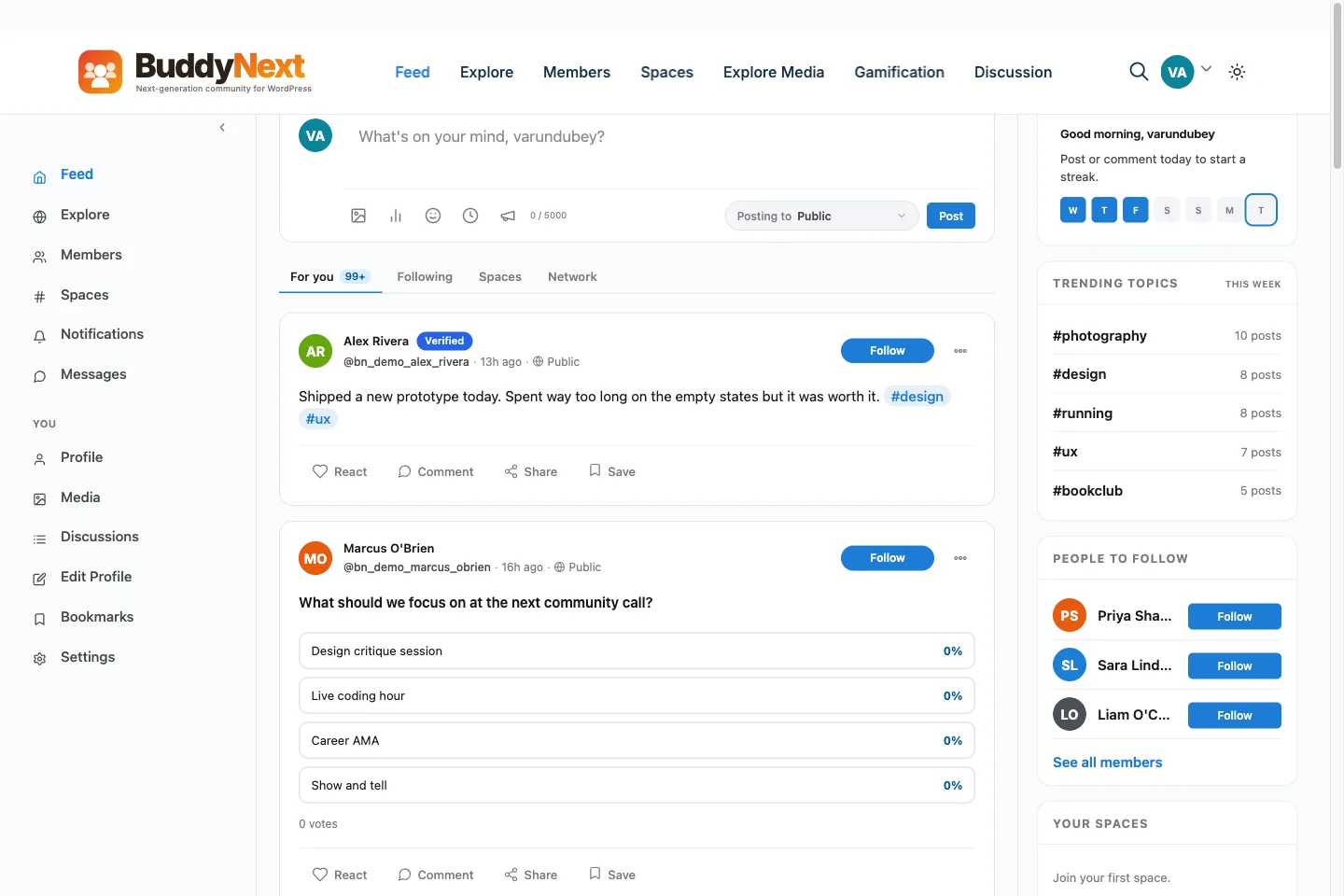
community.buddynext.com⤢
Home feedA real-time stream of posts, reactions, and comments.
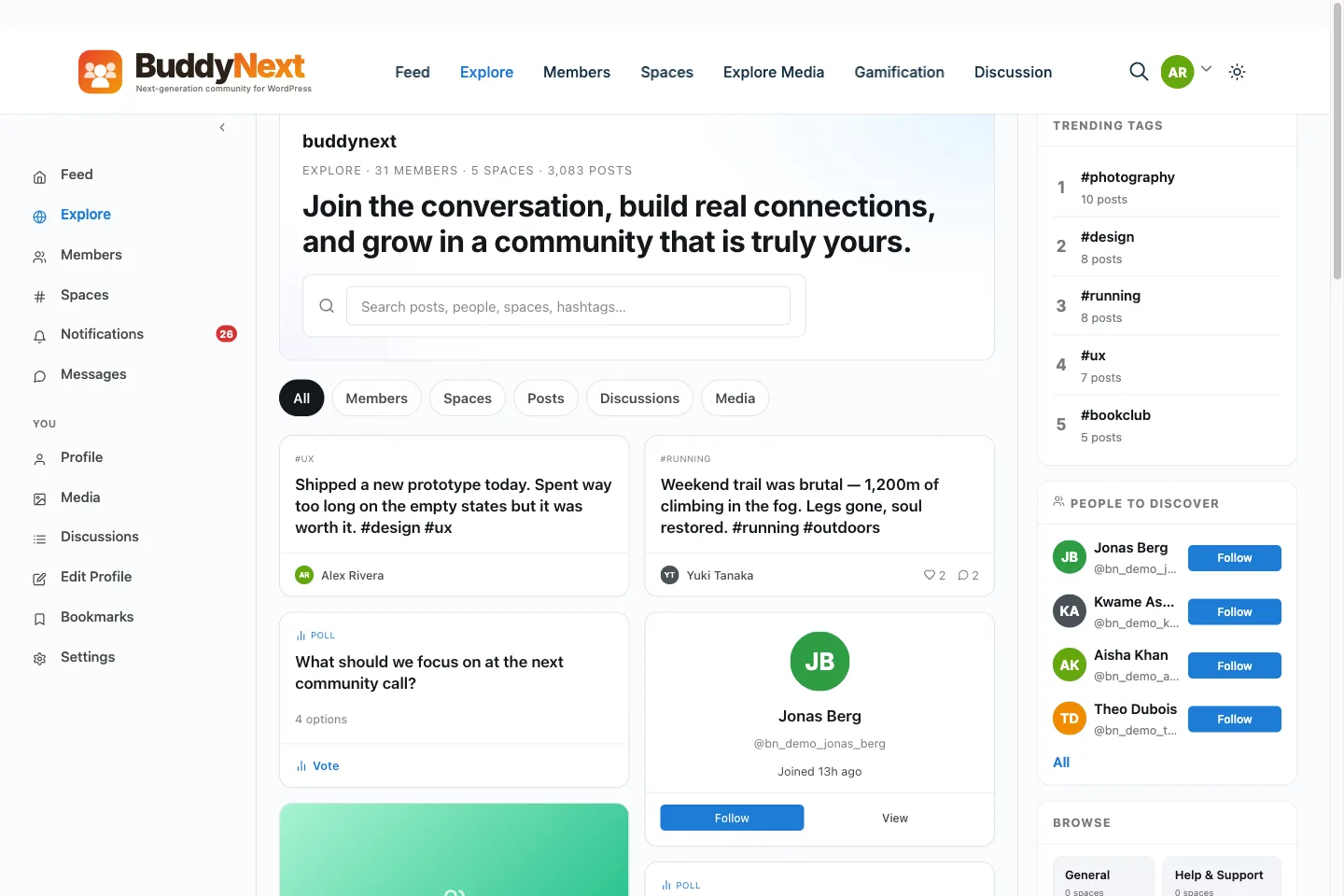
community.buddynext.com⤢
ExploreTrending posts, suggested members, and active spaces.
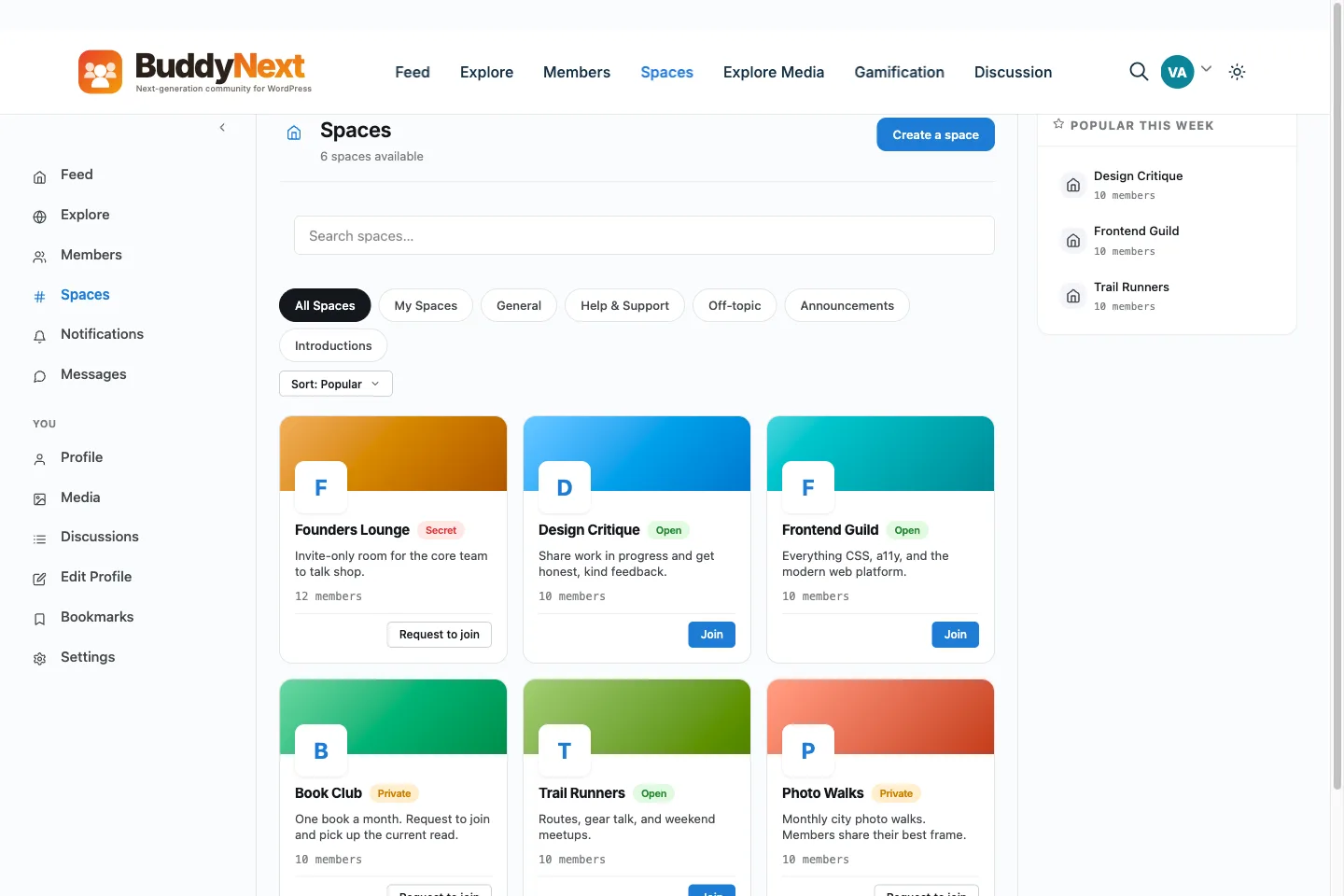
community.buddynext.com⤢
SpacesOpen, private, and secret rooms for every topic.
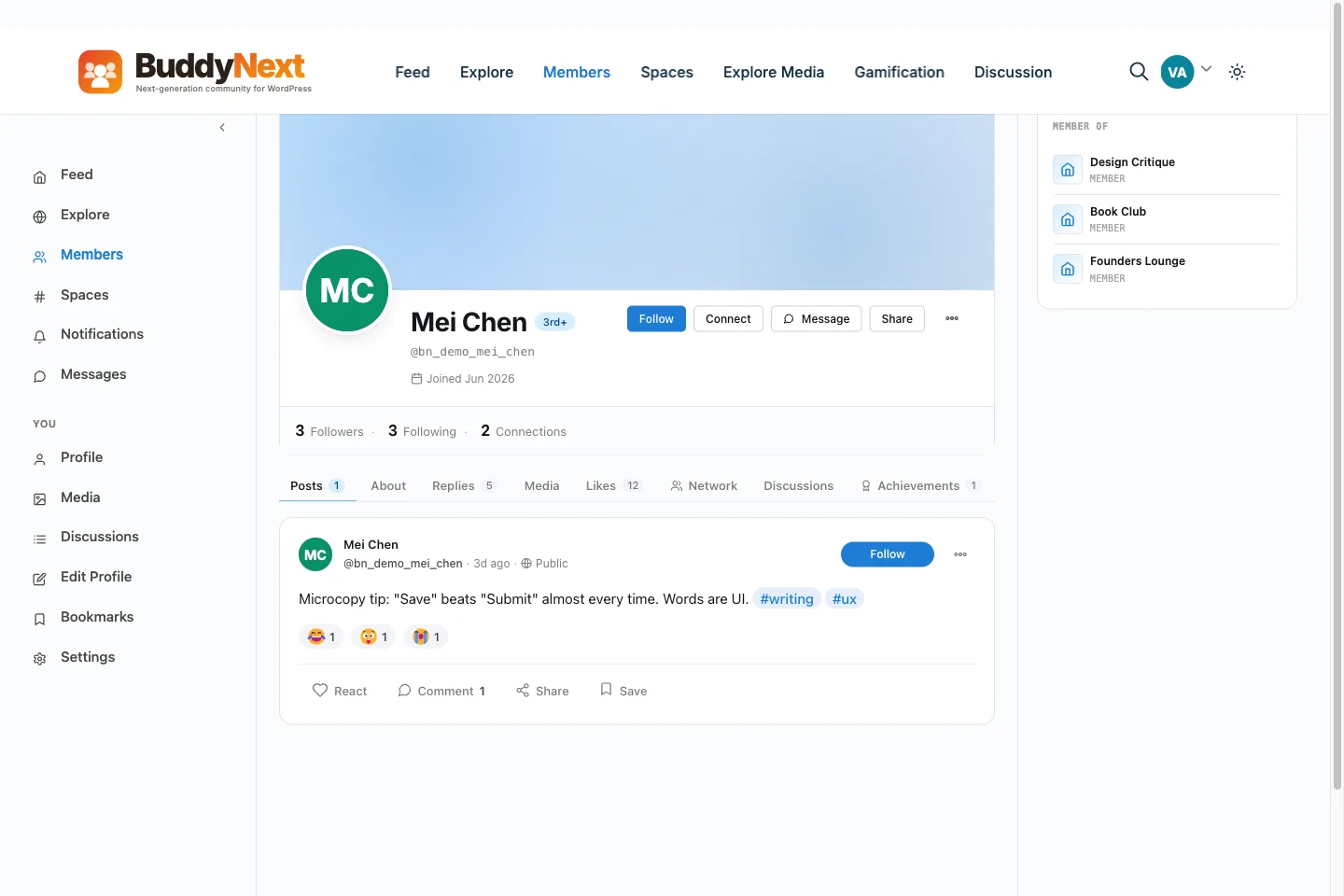
community.buddynext.com⤢
Member profilesRich profiles with custom fields and verified badges.
community.buddynext.com⤢
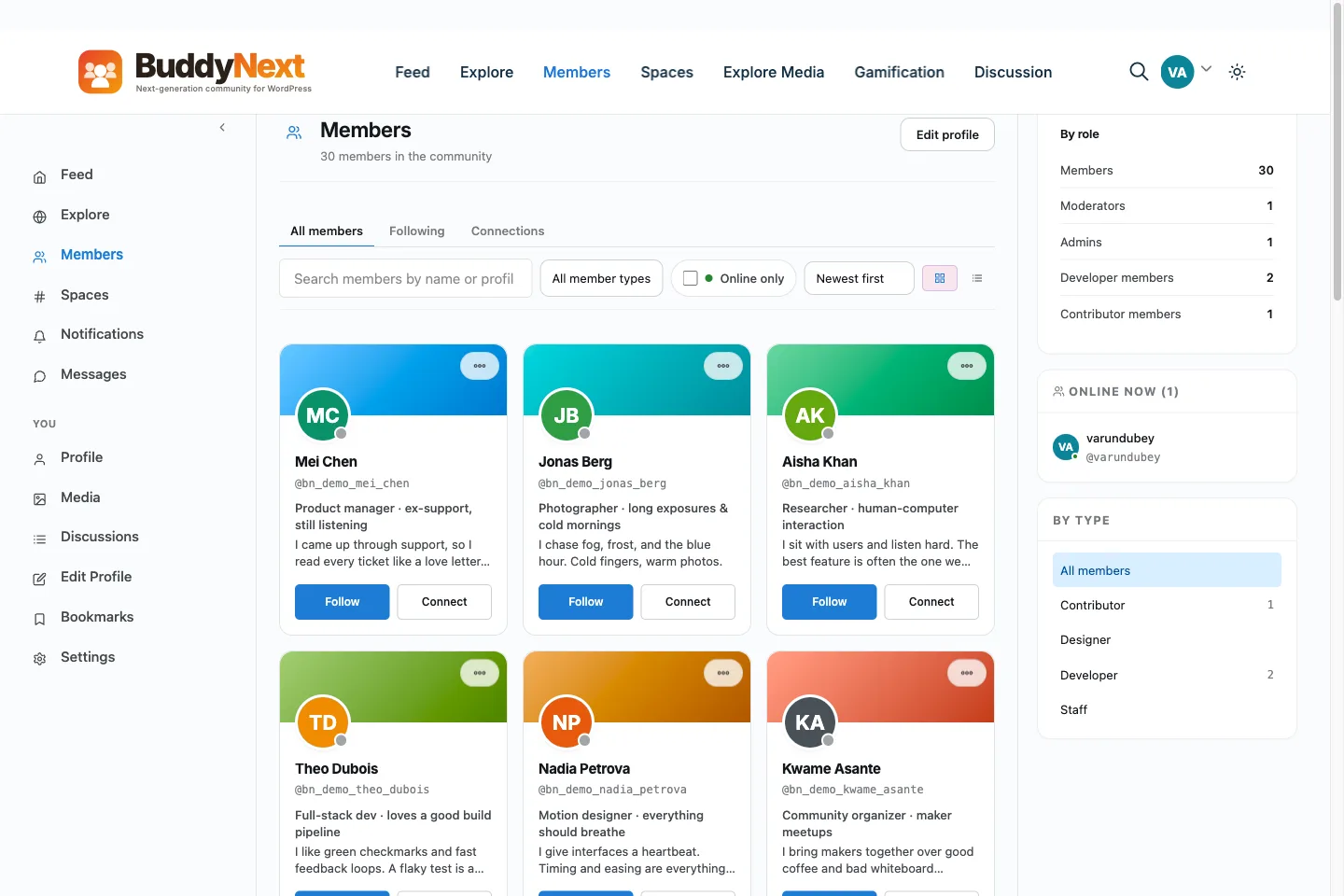
Member directoryA searchable, filterable directory of everyone.
community.buddynext.com⤢
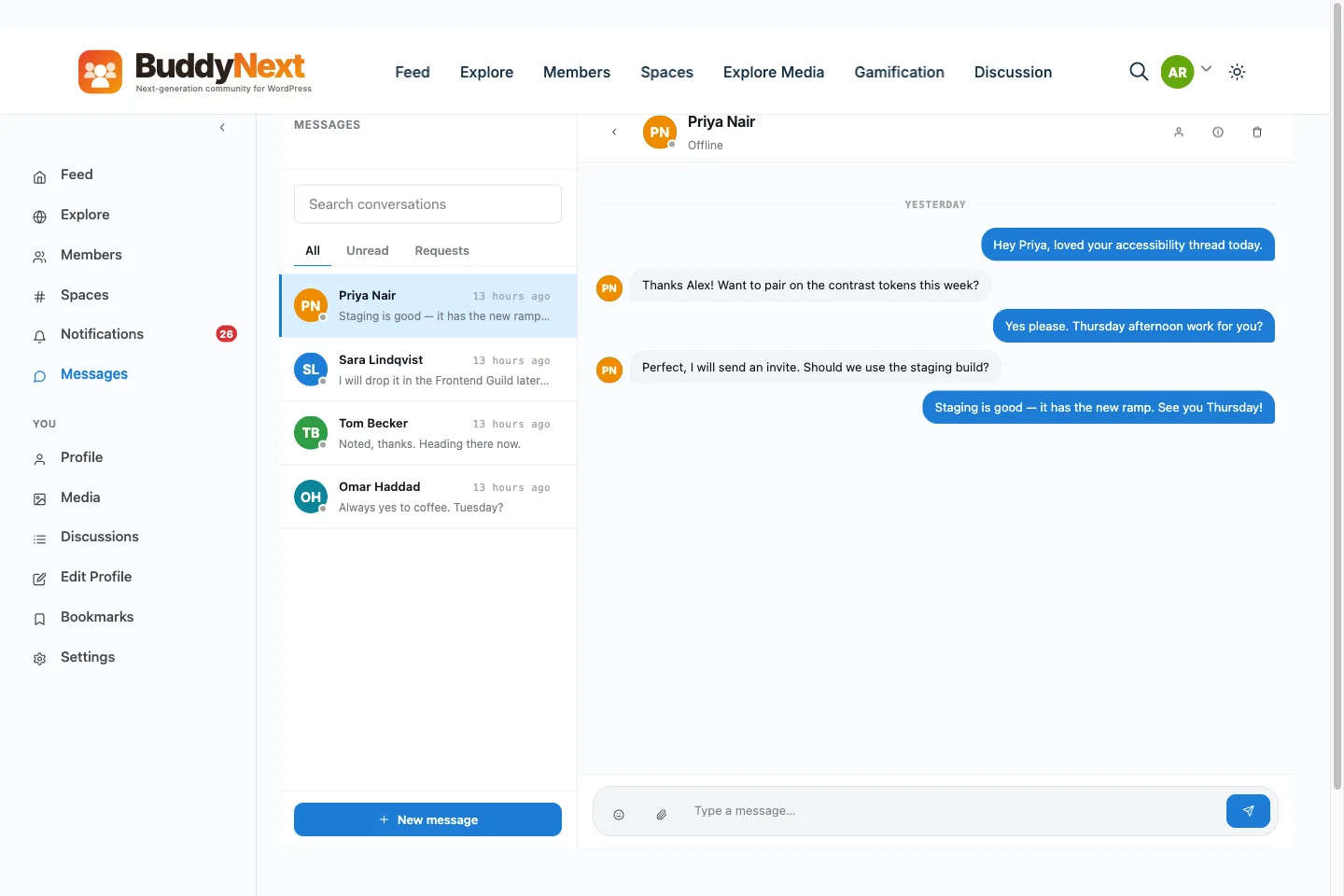
MessagingPrivate conversations, right inside the community.
community.buddynext.com⤢
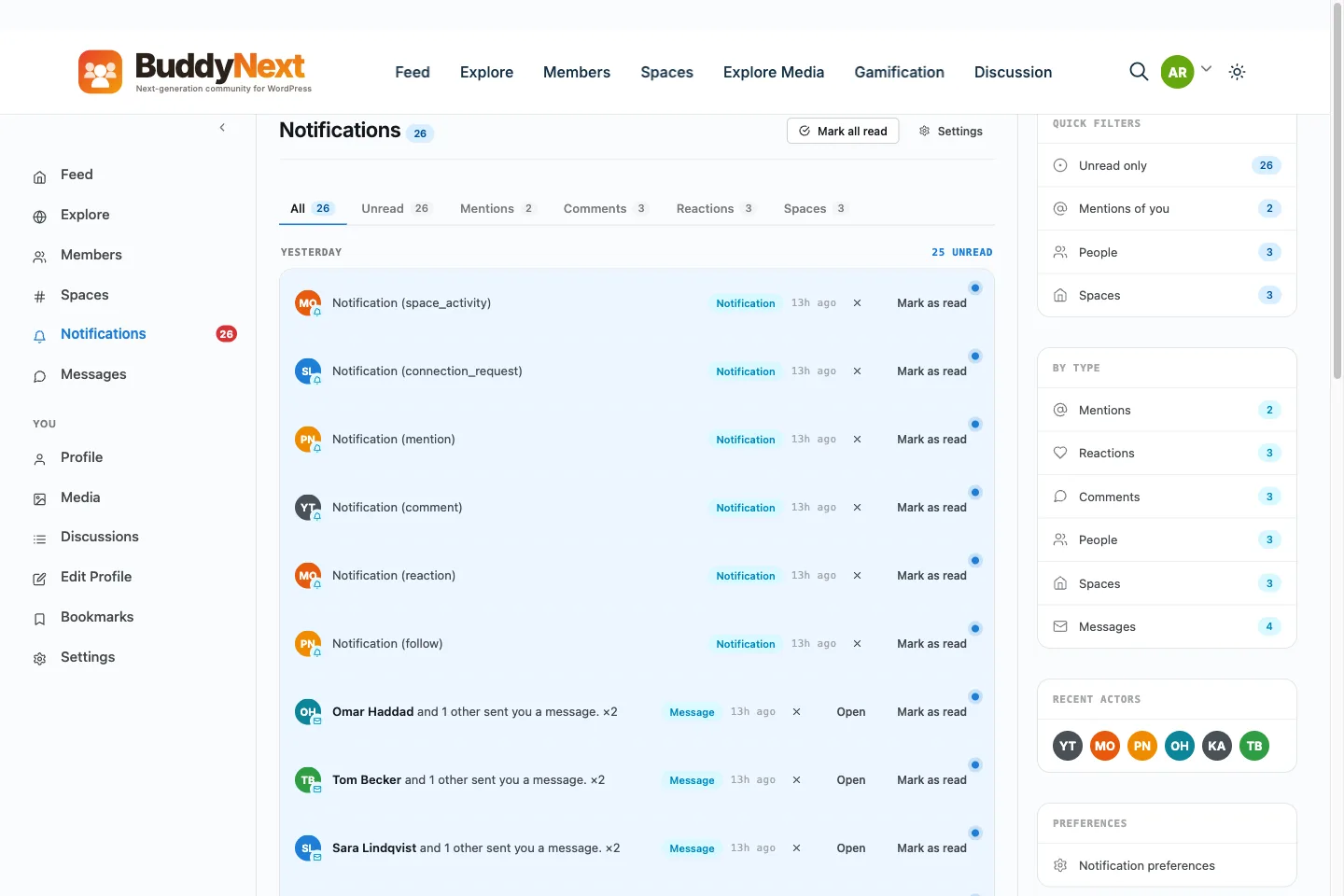
NotificationsOn-site alerts and email digests that bring members back.
community.buddynext.com/admin⤢
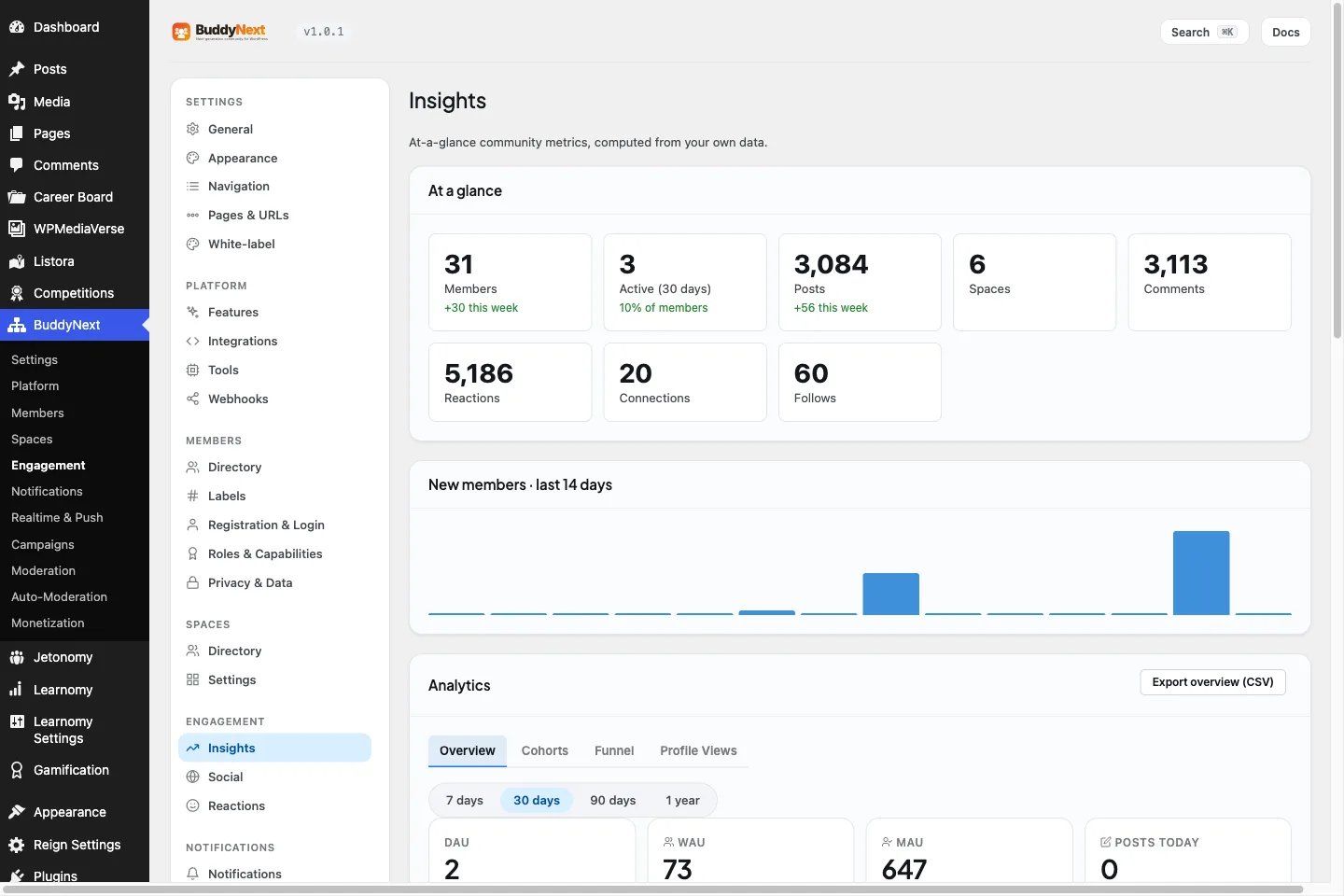
Owner dashboardProGrowth, monetization, and moderation at a glance.
Straight answers
What people ask before they click.
Do I have to give an email address?
To launch the sandbox, yes. InstaWP hosts these throwaway sites for us and asks for an address before it spins one up. There is a separate, unticked box for our setup guide and launch discount, so the email is used to create the site whether or not you opt into anything else. If you would rather not, the screenshots on this page show every screen, and the plugin source is public on GitHub.
How long does the sandbox last?
Four hours from launch, then it is deleted. It does not reset while you are using it and there is no way to extend it, so if you want to keep what you build, install the free plugin on your own site instead. Launching a second sandbox later is fine.
Is the sandbox private, or shared with other people?
It is your own site on its own URL, not a shared playground. Nobody else is posting in it and nothing you write there is visible to other visitors.
Do I get admin, or only the member view?
Admin. That is the point of a sandbox rather than a guided tour: you can open moderation, change settings and look at the parts you would actually have to run.
Can I use it to show a client?
For a live walkthrough, yes, as long as you both finish inside the four hours. For anything you need to send someone and have working tomorrow, install the free plugin on a staging site - that costs nothing either and it does not expire.
Is the demo the free version or Pro?
The sandbox is seeded with members, spaces and posts so it does not open empty, which is not what a fresh install looks like on day one. For exactly which capabilities are free and which are Pro, the Free vs Pro comparison is the honest line-by-line.
What if I just want to read the code?
The plugin source is public. You can read it before you install anything, or before you put a client on it.
Where you are now
The demo answers one question. Here is the next one.
What you should do after the sandbox depends on what you are running today, so here are four routes rather than one button.
I have not started yet
Then the fastest way to judge this is to use it. The sandbox spins up a real community you can post in, and you can throw it away afterwards.
The bill grows with your membership and the members sit on their servers. Moving is the part people assume is impossible, so it is worth reading what it actually involves before you renew.
Your members keep their WordPress logins, so nobody re-registers. The free BuddyNext Importer brings the rest across: members, profile fields, groups, activity, forums, media and private messages.
A full REST API ships in the free core, so a custom front end or an integration is a first-class path rather than a retrofit. The plugin source is public, so you can read it before you commit a client to it.
WBComDesigns is amazing. The WP plugins and themes are of top notch quality with lots of features and updated very frequently. Supports are very responsive and helpful. I use Reign with TutorLMS, and the experience is surprisingly smooth. The recently launched BuddyNext Pro and MediaShield Pro are…
Hoang Phan · VN ·
WBCOM Designs is Amazing!
WBCOM Designs has constantly updated and supported their plugins and themes. Recently the new BuddyNext project is Amazing! - and the new line of addons like Mediaverse, Jetonomy, Mediashield, and Listora.. are likewise Amazing! - and very well built. Today their online Chat solved a download…
Edward S. · US ·
Great customer service
Great customer service. I have asked several questions about the website theme template I am using from them, and they have always been very helpful in their responses- answering all of my questions and in a timely manner.
Landon · US ·
Very impressed with the customer…
Very impressed with the customer service and technical team. There were some misalignments after the theme update. The team responded promptly and provided fast technical assistance. Thank you again for your fast actions.
Global Consultancy · AE ·
Varun is always generous with his…
Varun is always generous with his knowledge and time. Thank you for all you are doing for weDIDit.Health!
Peter Goldstein · US ·
A team member responded quickly and…
A team member responded quickly and answered my question. Great customer service!
MM · US ·
I worked with Varus and he was very friendly and cordial.
I worked with Varus and he was very friendly and cordial. He is an honest person and does what you ask of him. I recommend you 100%. I currently use the plugins that your company has used and so far they are working very well for me.
Francisco Lee · PA ·
Helped With Setting Up Theme
Camila Scot of Wbcom was helpful. I got a super prompt help with my BuddyX Theme. Although I am a free version user, I got irst attention. I am satisfied. I will eventually buy the lifetime version once we fully deploy it and we are sure it meets our need.
Anthony Esezobor · NG ·
Good support
I've used several of their plugins. Occasionally support was needed but they were quite prompt in their support and solved the issue.
Cheryl Dimof · US ·
A plugin made a conflict and they fixed…
A plugin made a conflict and they fixed it immediately, great plugins anf great support.