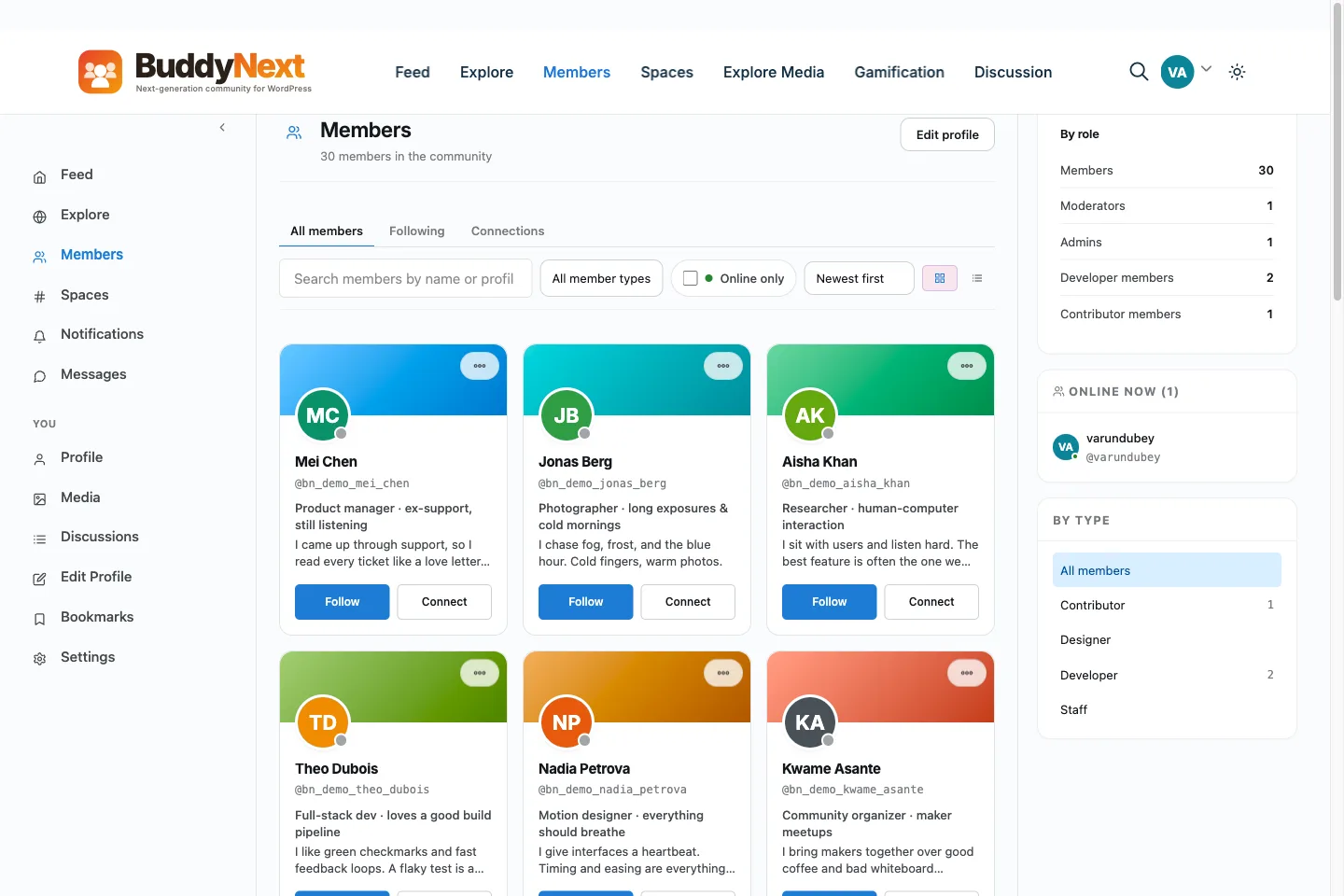
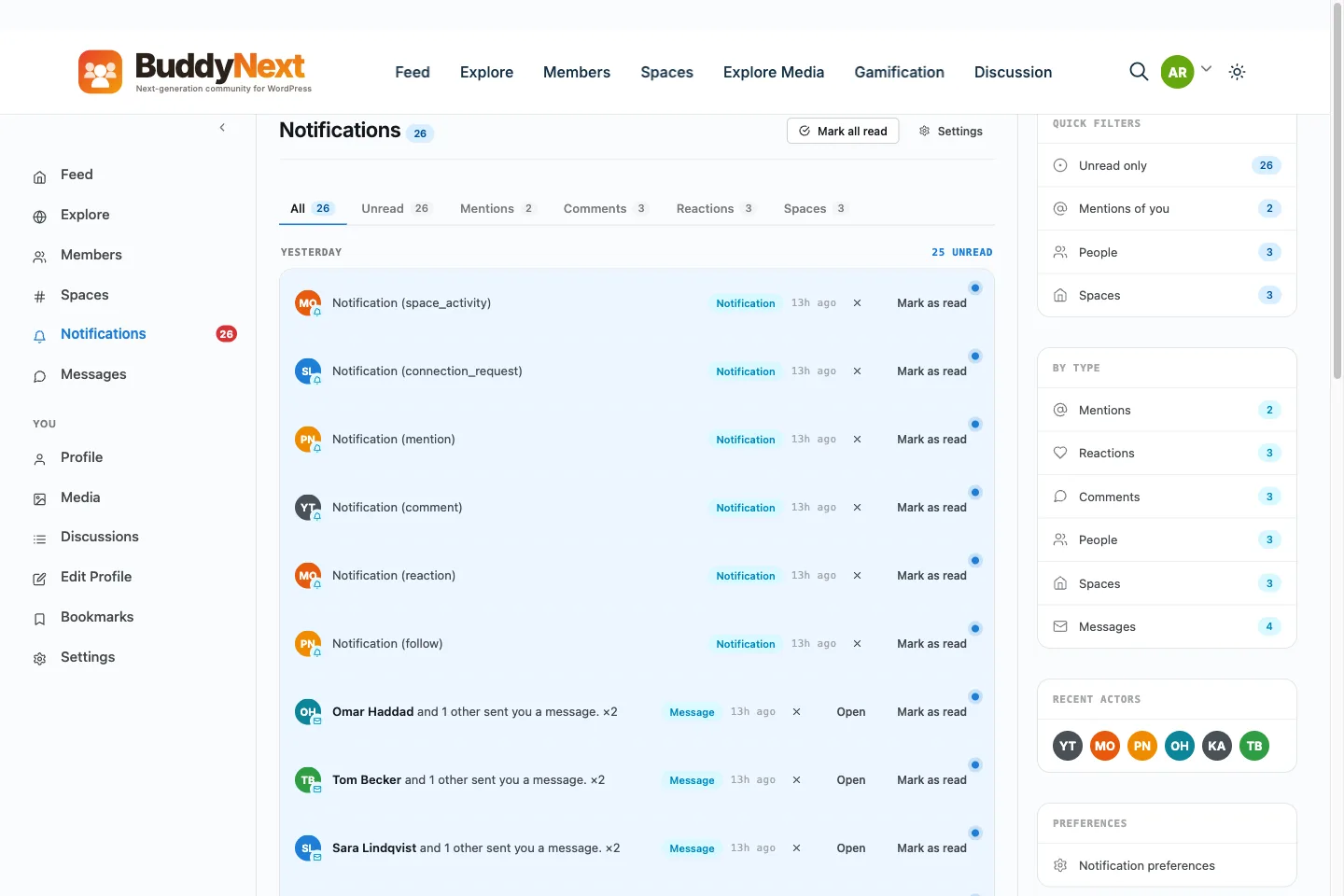
The social network plugin for WordPress that ships complete.
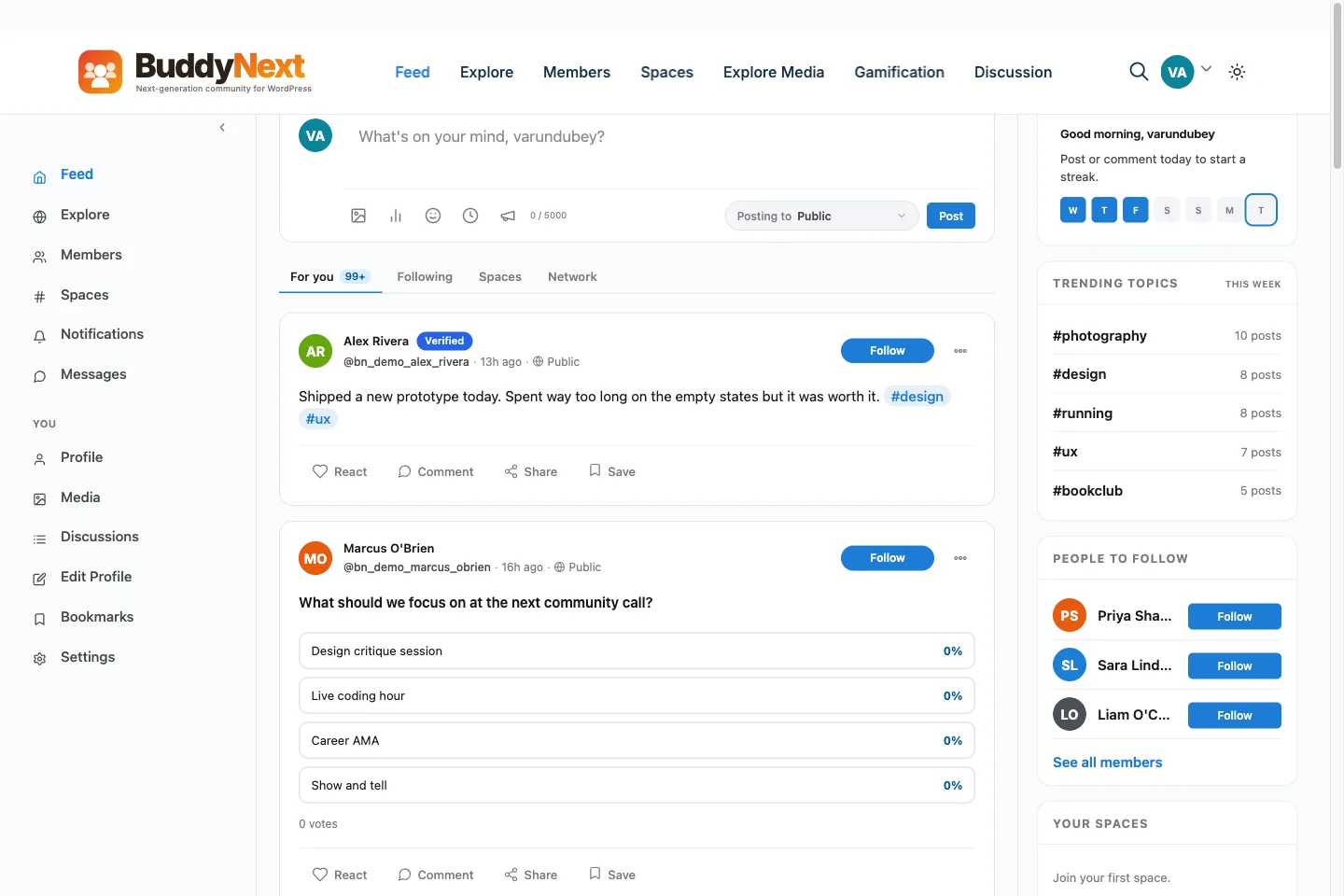
Feed, profiles, spaces, messaging, notifications and moderation, in the free
core rather than spread across six plugins from five makers. Self-hosted on
your own WordPress install, so your members stay yours.
Turning WordPress into a social network is not one feature, it is six that have
to agree with each other. Here is the honest checklist, whichever plugin you pick.
A feed people actually return to
Posts, reactions, comments and shares in one stream, with a report button on every item so moderation is not a separate bolt-on.
Profiles worth filling in
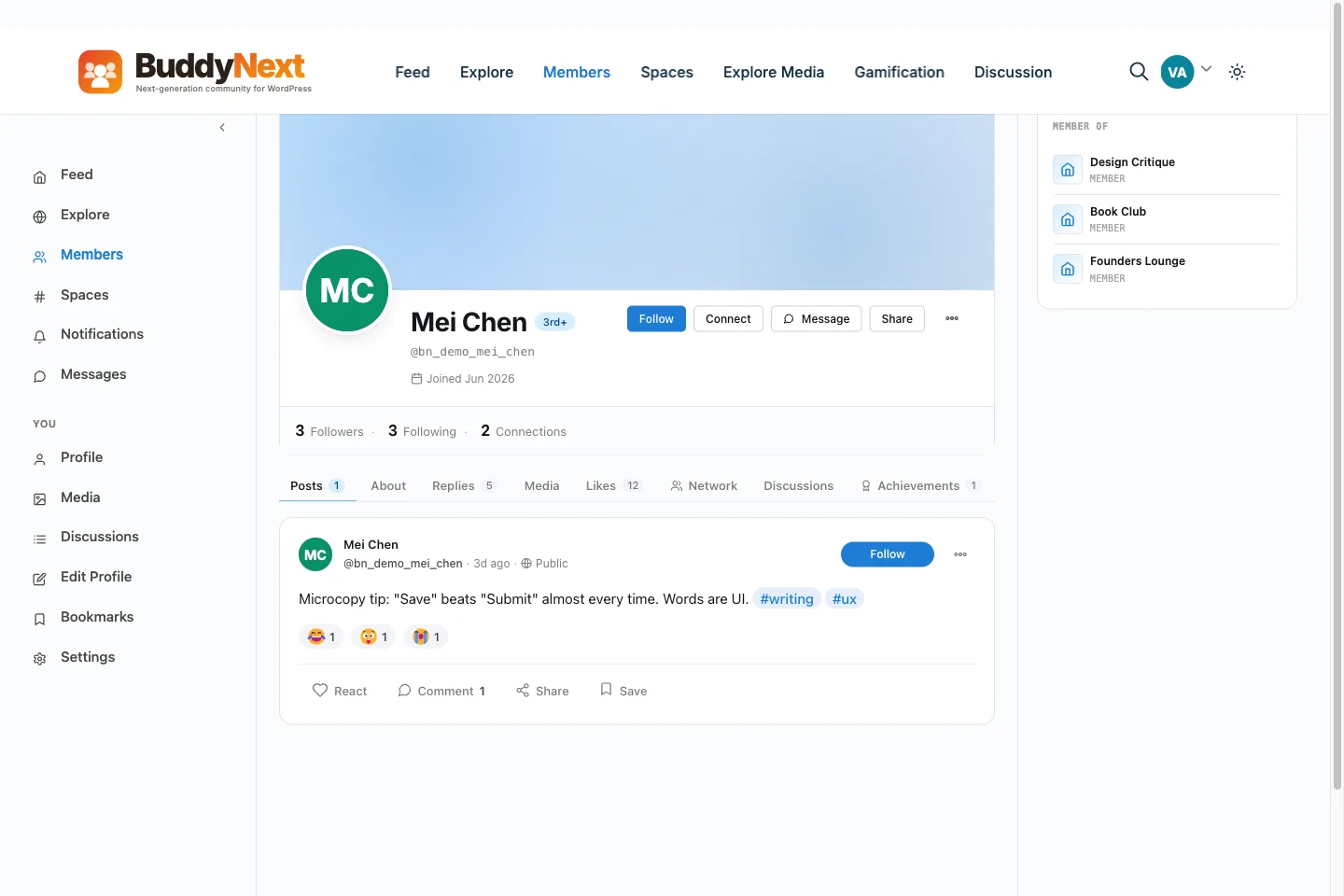
Custom fields, avatars and cover images, with per-field privacy each member controls.
Spaces, not just one big room
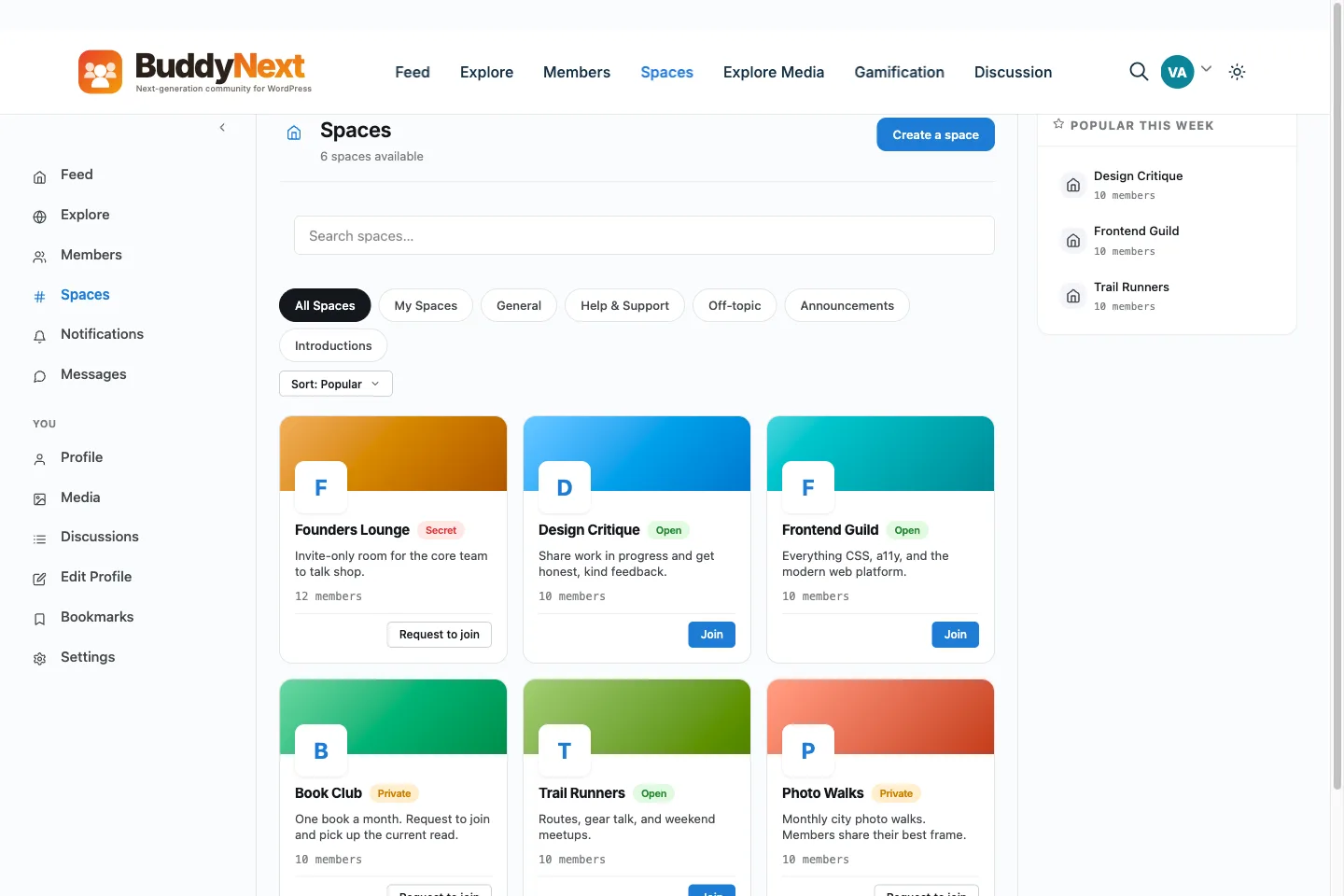
Open, private and secret sub-communities, each with their own members, feed and roles.
Messaging inside the community
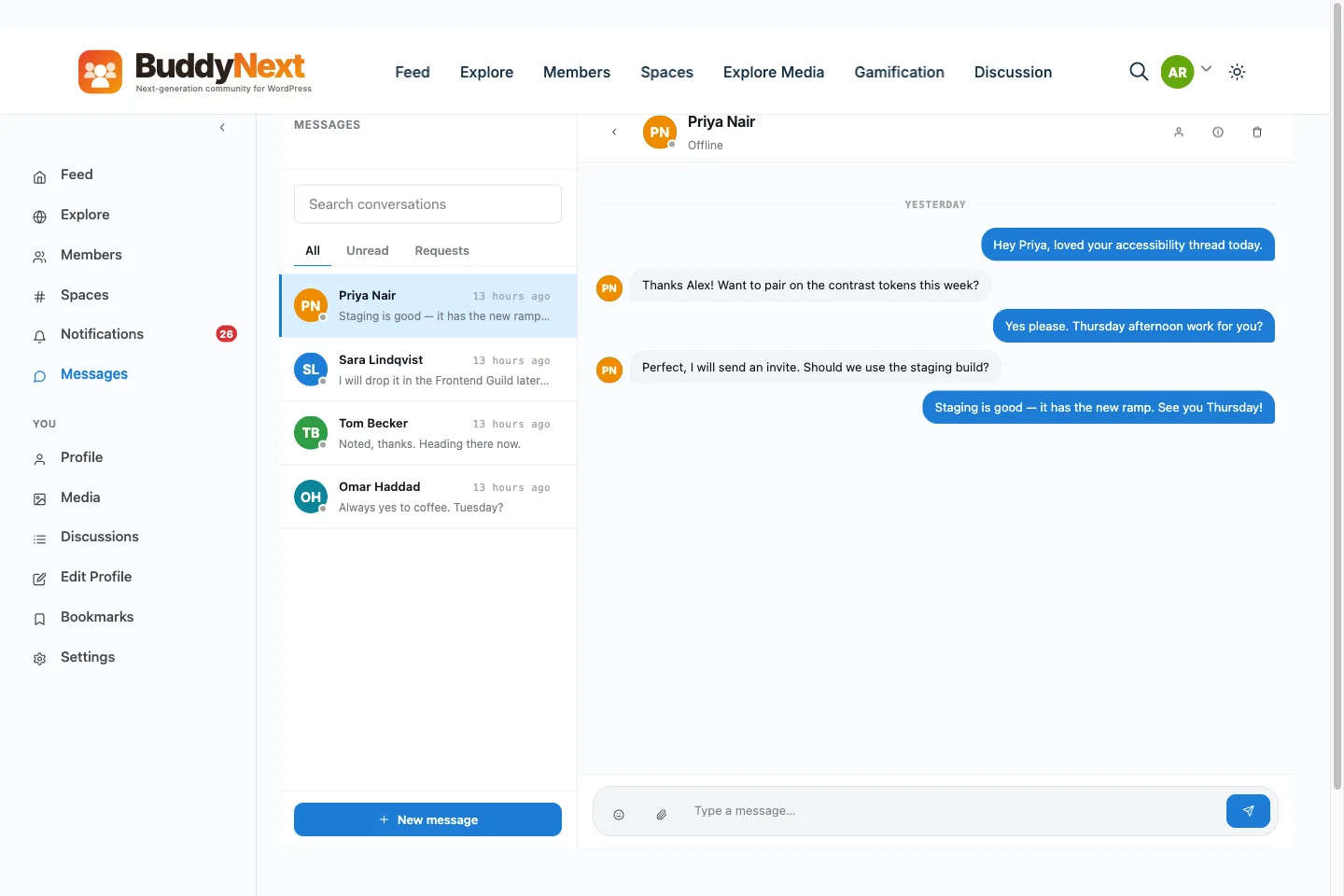
One-to-one messages free, with group and real-time messaging on Pro. Members never leave to talk.
Moderation you can live with
A report queue and member controls in the free core, because a social network without moderation becomes someone else problem fast.
An API, so you are not boxed in
A full REST API ships free, so a custom front end or an integration is a first-class path rather than a retrofit.
Why it matters
One team, or six plugins you keep compatible.
The usual WordPress answer is a social core plus add-ons for forums, media,
gamification, courses and events, each from a different maker on a different
release cycle. Every update is a compatibility question. This is the same list,
built in-house.
What you would normally assemble, and what ships instead
Normally a separate plugin
In BuddyNext
Social core
Feed, profiles, spaces, messaging, notifications and moderation in the free core
A forums plugin
Jetonomy, free, and it can sit as a tab inside a space
A media plugin
MediaVerse, free, for albums, photos and video
A gamification plugin
WB Gamification, free, for points and badges
A courses plugin
Learnomy, from the same team
An events plugin
Eventonomy, from the same team
Pro adds group and real-time messaging, gated and tiered spaces, and paywalls.
The native mobile app is in development and sold separately, so it is not
counted above.
Where you are now
Pick the sentence that sounds like you.
The right next step is different depending on what you are running today, so here are four, rather than one button for everybody.
I already run BuddyPress or BuddyBoss
Your members keep their WordPress logins, so nobody re-registers. The free BuddyNext Importer brings the rest across: members, profile fields, groups, activity, forums, media and private messages.
Then this is a plugin install on a site you already have, not a platform migration. The sandbox is the quickest way to see what it adds before you touch your own site.
Coming from BuddyPress or BuddyBoss? The free BuddyNext Importer brings your
members, groups, activity, forums, media and messages across. See the
BuddyPress and BuddyBoss guides.
Questions
Before you install anything.
What is the best WordPress social network plugin?
It depends on whether you want one platform or an assembly job. BuddyPress is the mature, free foundation you extend with add-ons from different makers. BuddyBoss bundles a theme and prices its app separately. BuddyNext ships the feed, spaces, profiles, messaging, notifications and moderation together in the free core, with free companions for forums, media and gamification from the same team. If you would rather not keep six plugins compatible with each other, that is the case for BuddyNext.
Is BuddyNext free?
Yes. The core plugin is free and GPL, and so are the companions for forums, media and gamification. Pro is an optional annual licence, and what it adds is listed further down this page. You are never required to buy it to run a working social network.
Do I need BuddyPress installed as well?
No. BuddyNext is a complete, standalone community engine, not an add-on and not a BuddyPress fork. If you already run BuddyPress or BuddyBoss, the free BuddyNext Importer moves your members, profile fields, groups, activity history, forums, media and private messages across.
Will it work with my theme?
Yes. BuddyNext restyles from CSS tokens rather than requiring a bundled theme, so the look stays yours. BuddyX and Reign are built alongside it if you want a community theme designed for it, but neither is required.
Can I run it on my own hosting?
That is the point. BuddyNext is self-hosted on your own WordPress install, so your members and their content live in your database. There is no per-member pricing and no platform that can change its terms on you.
Is there a mobile app?
Not yet, and we will not pretend otherwise. A native app is in development and will be sold separately. What exists today is web push and an installable, app-like PWA, both real and both documented.
What is the difference between a WordPress social network plugin and a WordPress social platform?
None worth acting on. Social network plugin, social networking plugin and social platform all describe the same category: software that turns WordPress into a social network rather than a blog. BuddyNext works as a WordPress social network platform out of the box, with feed, spaces, profiles, messaging and moderation in the free core, so whichever term you searched, this is what it looks like installed.
Can I add a social network to WordPress I already run?
Yes. Installing BuddyNext on a WordPress site you already have is what puts a social network on WordPress in the first place, and it does not need a fresh install. If you would rather see the build laid out as a walkthrough, with the steps and real running costs, the guide to creating a social network covers it in more depth than a plugin FAQ can.
Build it on WordPress, free.
Start with the free core, own your members, and upgrade only when you grow.
Charging for access to the community itself, and where that differs from gating content.
What customers say on Trustpilot
WBCOM Designs is Amazing!
WBCOM Designs has constantly updated and supported their plugins and themes. Recently the new BuddyNext project is Amazing! - and the new line of addons like Mediaverse, Jetonomy, Mediashield, and Listora.. are likewise Amazing! - and very well built. Today their online Chat solved a download…
Edward S. · US ·
WBComDesigns is amazing!
WBComDesigns is amazing. The WP plugins and themes are of top notch quality with lots of features and updated very frequently. Supports are very responsive and helpful. I use Reign with TutorLMS, and the experience is surprisingly smooth. The recently launched BuddyNext Pro and MediaShield Pro are…
Hoang Phan · VN ·
Recently worked with Wbcom Designs and…
Recently worked with Wbcom Designs and I was impressed with their services. They have the expertise to deliver a perfect website for my business. And one more thing the team at Wbcom Designs was very helpful they understand my every small requirement.
Kanchan Verma · IN ·
Best WordPress Development Service
Wbcom Designs are the best and very knowledgeable WordPress Development Service, as I was stuck and didn't know how to resolve the issue. Go for it Guys, without any second thoughts.
Allison Soro · US ·
Amazing WP themes and Plugins
Amazing WP themes and Plugins, the support team is also very helpful. I had a wonderful experience with Wbcom Designs team. Highly recommended
Sophie Hart · US ·
Wbcom Designs - A Great Experience
we had a wonderful experience with Wbcom Designs team. These guys are great and highly helpful, swiftly responding to our questions and offering answers to our problems. They also did some custom work for us. I'd without a doubt suggest their services to others!
Amelia Evan · US ·
Perfect themes
I purchased Reign theme from Wbcom Designs, the support team was very helpful and I got the perfect website what I was looking for. Good work Wbcom Designs
Monika Singh · IN ·
Very helpful
Very helpful, great support. Thank you!
ThoughtCloud Support · IN ·
The team at WBcom are a pleasure to…
The team at WBcom are a pleasure to deal with. Whenever I have needed help understanding a feature or tweaking a feature for my site, they have been so helpful. Highly Recommend their product suite.
Your Wheels · NZ ·
Using the Free version of BuddyX
Using the Free version of BuddyX. New to WordPress but every question I have submitted was answered by the next day. Fantastic support.