Plenty of people searching for a Discord alternative are not trying to leave the chat. They want somewhere that keeps what was said, holds their member list and can charge for access. This section covers trading and investing communities, who are the clearest case, and what to do so a lock-out cannot take your community with it.
Trading and investing communities: two jobs, two homes
A trading room is two different things at once. During market hours it is live: a fast chat, voice, people reacting to a move. After the close it is a library: the morning plan, the trade review, the watchlist, the lesson someone wrote up.
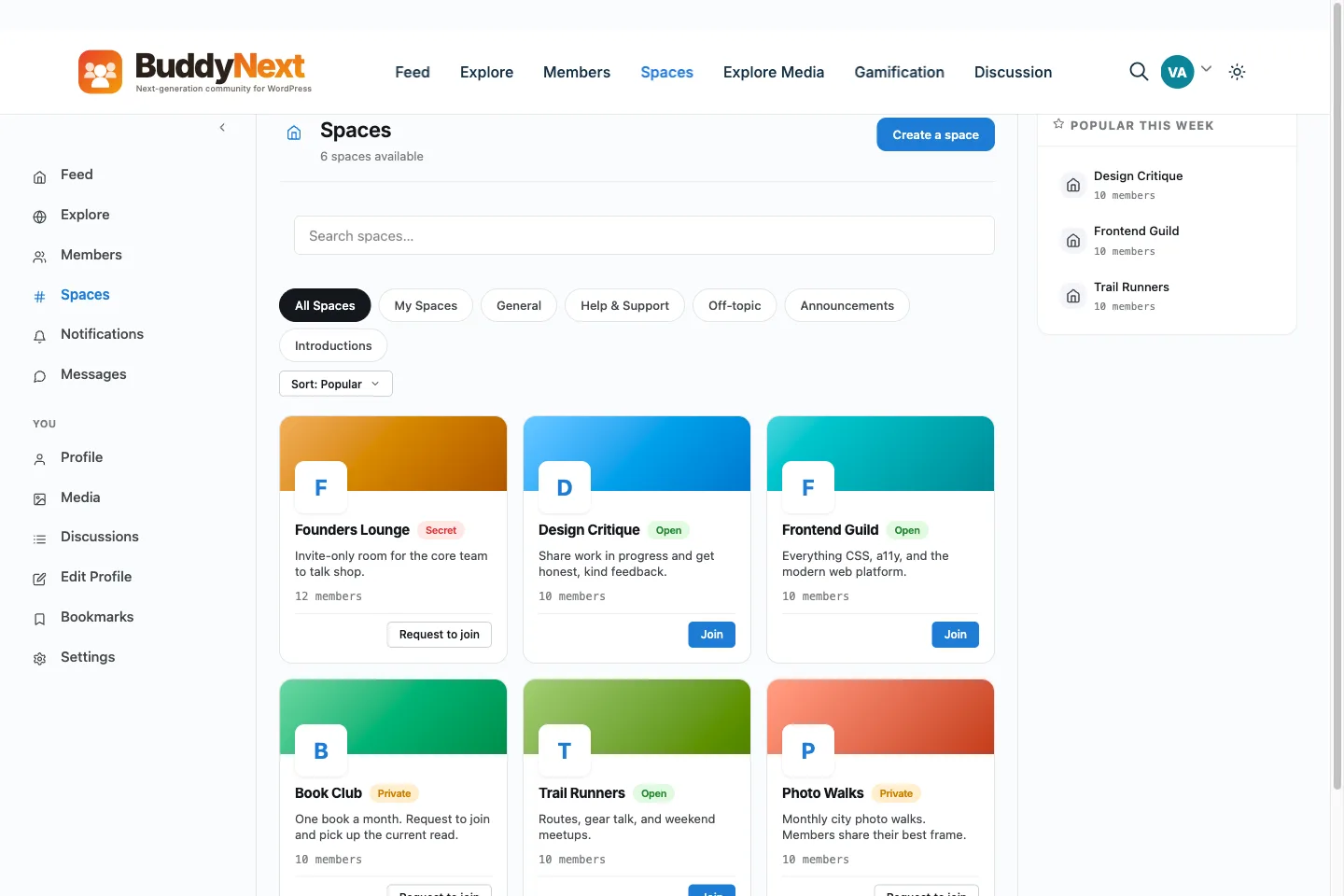
Discord is excellent at the first job and poor at the second. Messages scroll off, search is chat search, and none of it sits on a domain you own or shows up on a search engine. BuddyNext does not host voice or live video, and it is not a replacement for a live trading floor. What it does well is the second job, plus paid access and a proper member directory.
So the setup that works is plain. Discord stays the live room. BuddyNext becomes the place where the lasting work lives, where people join and pay, and where you know who is in the community.
One caution that applies to this audience in particular: rules about sharing market views, selling signals or charging for advice vary by country. This page is not legal advice. Check what applies to you before you sell access.
What goes where
- Stays in Discord: live chat, voice, quick reactions during the session and anything that is only useful for an hour.
- Goes to BuddyNext: the pre-market plan, trade reviews, written lessons, weekly summaries, the reading list and the rules.
- Chart screenshots. A post can carry photos and files, so a review is a post with the images attached, instead of a thread buried in a channel.
- Topics people want to follow. Members can follow hashtags, so a theme or an instrument becomes something they can subscribe to.
- A reference shelf. Members can bookmark any post, which gives each person a private reading list from your archive.
- Questions that should have lasting answers. A space can have a Discussions tab on Jetonomy, the forum plugin from the same team, which suits Q and A that people will want to find again. It is a free bridge and needs the Jetonomy plugin.
- Scheduled posts. With BuddyNext Pro you can schedule a post to publish later, so a morning note goes out on time without you being at the keyboard.
Search on your own site covers posts, spaces, members and discussions, and a public space on a public site is part of your own website, which search engines can read. Private and secret spaces stay out of that. Decide per space what the world may see, and keep paid material in a gated space.
Paid tiers on your own site
Discord is not built to run paid memberships, so communities usually add a bot or a third party. BuddyNext Pro includes the payment side. You create membership plans, take payment by Stripe or PayPal, and attach each plan to the spaces it opens. One space can be opened by several plans, so a tier structure does not need duplicate rooms.
- Monthly and annual billing on one plan, with an interval switch on the pricing page.
- Coupons, which suit a founding-member discount you create yourself.
- Members upgrade, downgrade and update their card from their own membership page, without a support ticket.
- Renewal reminders by email, which you switch on and set the timing for.
- Invoices, and a CSV export of subscriptions and orders for your accountant.
- A plan can also be granted by a payment tool you already use. BuddyNext accepts signed requests from Make, Zapier or n8n to grant, extend or cancel a plan.
One thing BuddyNext does not do is hand out Discord roles when someone buys a plan. There is no connection like that in the code. If you want paid members to get a Discord role, you would do it by hand or build your own automation, and I have not tested one. Say that plainly to buyers before they pay.
A member directory you control
A Discord member list shows accounts and roles. A BuddyNext directory shows people. Each member has a profile with custom fields you define, such as experience level, markets traded or time zone. You can sort the directory by newest, alphabetical, most active or online, and filter it by member type. Pro adds member labels such as mentor or founding member.
Members can follow each other and send direct messages. Direct messages run on WPMediaVerse, a free companion plugin, and live updates without refreshing need BuddyNext Pro and a Pusher-compatible server.
If Discord locks you out
Servers get disabled and accounts get banned, sometimes by mistake. Discord's own pages (checked in October 2026) describe an appeal from your account standing in the app, and a support form. They also say that a request for your data returns your own account data, which can take up to 30 days. There is no official way documented for a server owner to export the full history and every member's messages. Treat everything inside Discord as borrowed.
The fix is not to leave. It is to hold your own copy of your people and your material while everything still works.
- 1Install BuddyNext on a domain you own and create the spaces that match your Discord categories.
- 2Ask every member for an email address by inviting them. Upload the list by CSV on the Invites tab, which takes an email and an optional first name per row, up to 500 rows per upload.
- 3Turn on sign in with Discord if you want members to use their Discord account on the new site. You create the connection yourself in Discord's developer area and paste its credentials into BuddyNext. Members still end up with an account on your site.
- 4Move your best material into posts, announcements and discussions, and pin the rules.
- 5Export your member list regularly. The Members screen has an Export CSV button that gives ID, login, email, display name, registration date and suspension status. Store a copy somewhere that is not your site.
- 6With BuddyNext Pro, set up a broadcast email you can send to a segment such as one space, recent activity or join date, so you can reach people without Discord. Test it before you need it.
- 7Write a short post for the day something goes wrong, saying where members should go. Keep the link to it in your email footer.
This makes your community survive losing a server. It does not stop a ban, and it will not bring back chat history Discord holds. What you keep is the part that was always yours to keep.
Running both without splitting the room
- Name each home's job in the first week and repeat it: Discord is live, the site is the library and the place you pay.
- Cross-post one thing from each day: end every session by posting the review on the site and dropping the link in Discord.
- Keep the first invitation wave small. Ask a few regulars to test signup, payment and the gated spaces.
- Let paid access live on the site only. If people can get the same material in Discord for free, they will not pay for the site.
- Move members gradually. Nothing needs to be switched off. Discord can stay your live room for as long as it suits you.
What it costs, worked out with your own numbers
Discord itself is free to run, so the comparison is not Discord against BuddyNext. It is what you pay today for bots and payment tools, against hosting, the BuddyNext Pro licence if you charge, and the fee your payment processor takes. List your current monthly tools, add the new costs and subtract. If the extra work does not pay for itself in members who join and pay, keep Discord alone and revisit later.