
Polls
Community & Activity Free & ProA poll is a post that asks members a question and lets them choose from a short list of answers, then shows live results as votes come in. Members create a poll right inside the post composer, vote with one tap, and watch the percentages update in place.
Why use it#
A poll is the lowest-effort way for a member to take part in your community. Writing a comment takes thought; tapping an option takes a second. That low bar is exactly why polls drive engagement: people who would never write a reply will happily vote, and every vote is a small signal that pulls them back to see the result.
For an owner, polls turn the feed into a two-way channel. Use one to settle a decision (which feature should we build next, what time works for the next meetup), to spark a friendly debate, or just to give quiet members an easy way in. Because results update live, a poll keeps people returning to the same post over a day or two, which lifts time-on-site and gives the post far more reach than a plain text update.
How it works (for members)#
Create a poll#
- Open the post composer at the top of the feed.
- Switch the composer to poll mode using the poll tool.
- Type your question in the main composer field. The question is required, the same as the text on any other post.
- Fill in the answer options. The composer gives you two required option fields plus three optional ones, so a poll can offer up to five choices.
- Optionally set a closing date and time in the "Poll ends" field. Leave it blank to keep the poll open indefinitely.
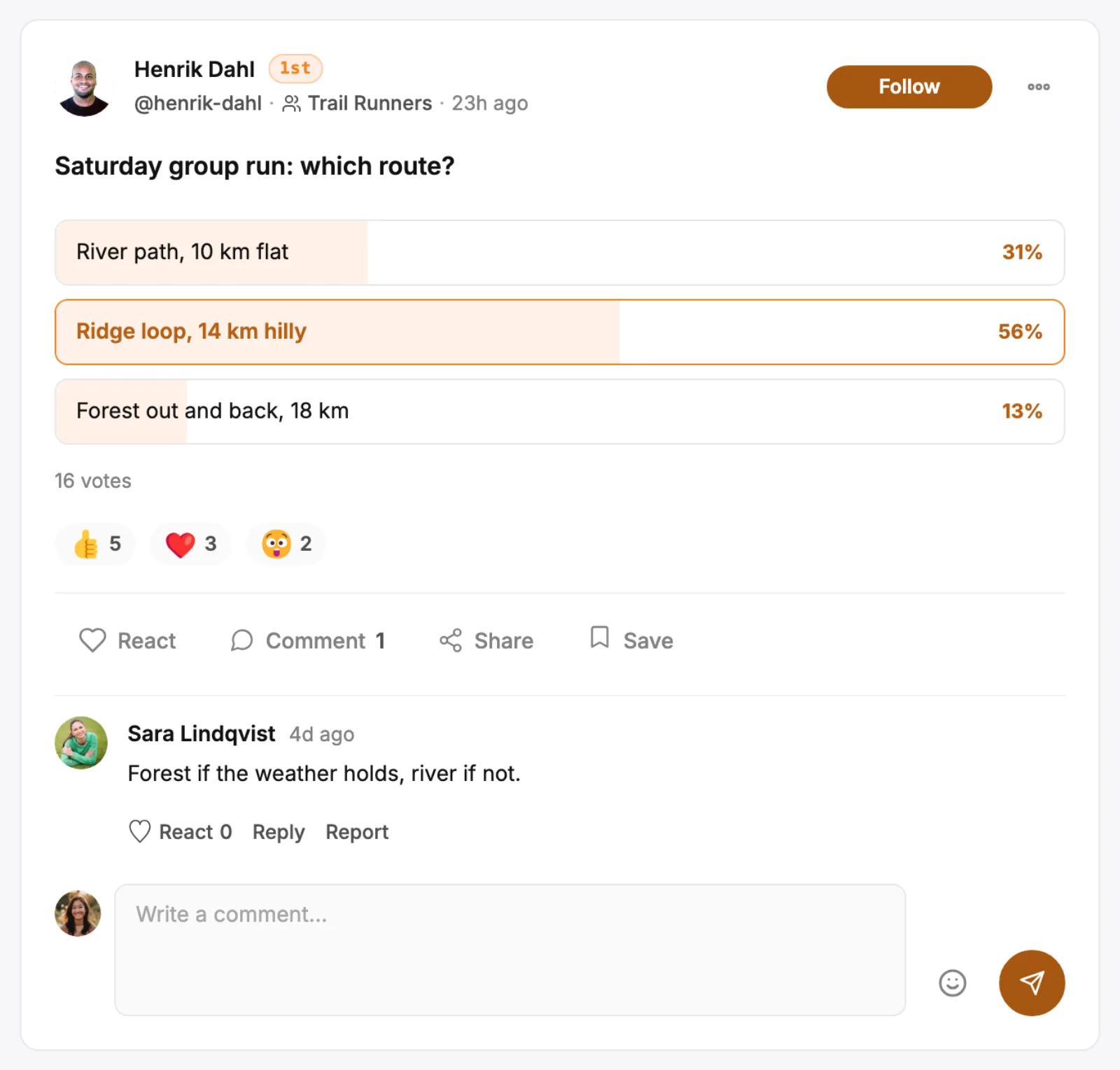
- Post it. The poll appears in the feed as a card showing the question and its options.
Note: A poll needs at least two options and offers up to five. The composer will not let you post a poll with fewer than two filled-in options.
Vote#
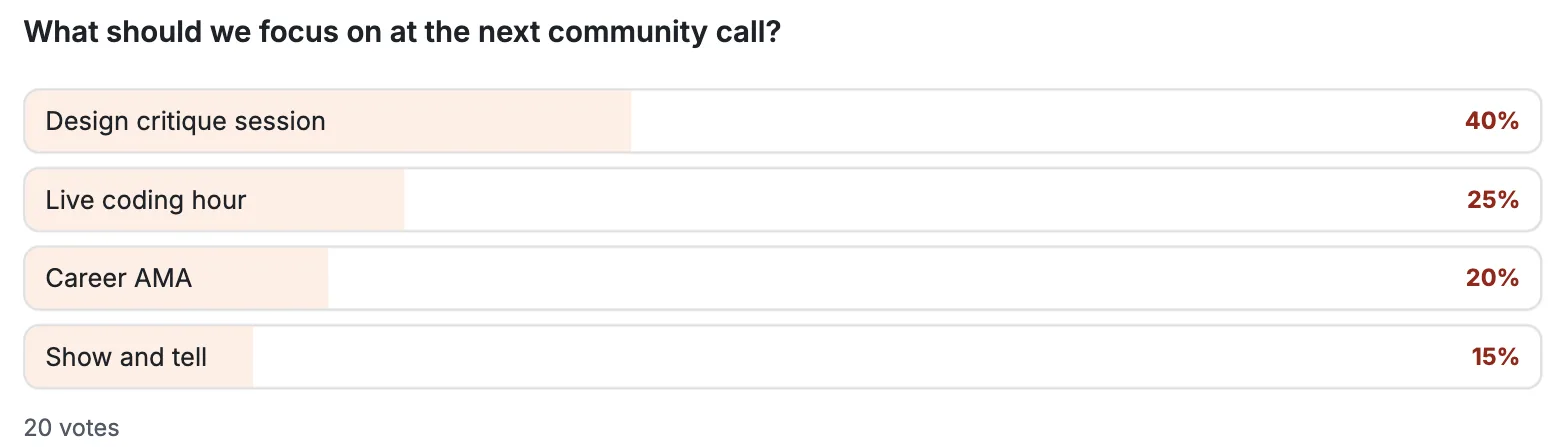
Tap any option on the poll card to cast your vote. The card immediately switches to its results view, showing the percentage for each option, a fill bar, and the total number of votes. You get one vote per poll.
Switch or remove your vote#
You are not locked into your first choice. Tap a different option to move your vote to it, or tap the option you already chose to remove your vote entirely. The percentages and totals re-calculate each time. There is always exactly one vote per person, so switching never inflates the count.
Setting it up (for owners)#
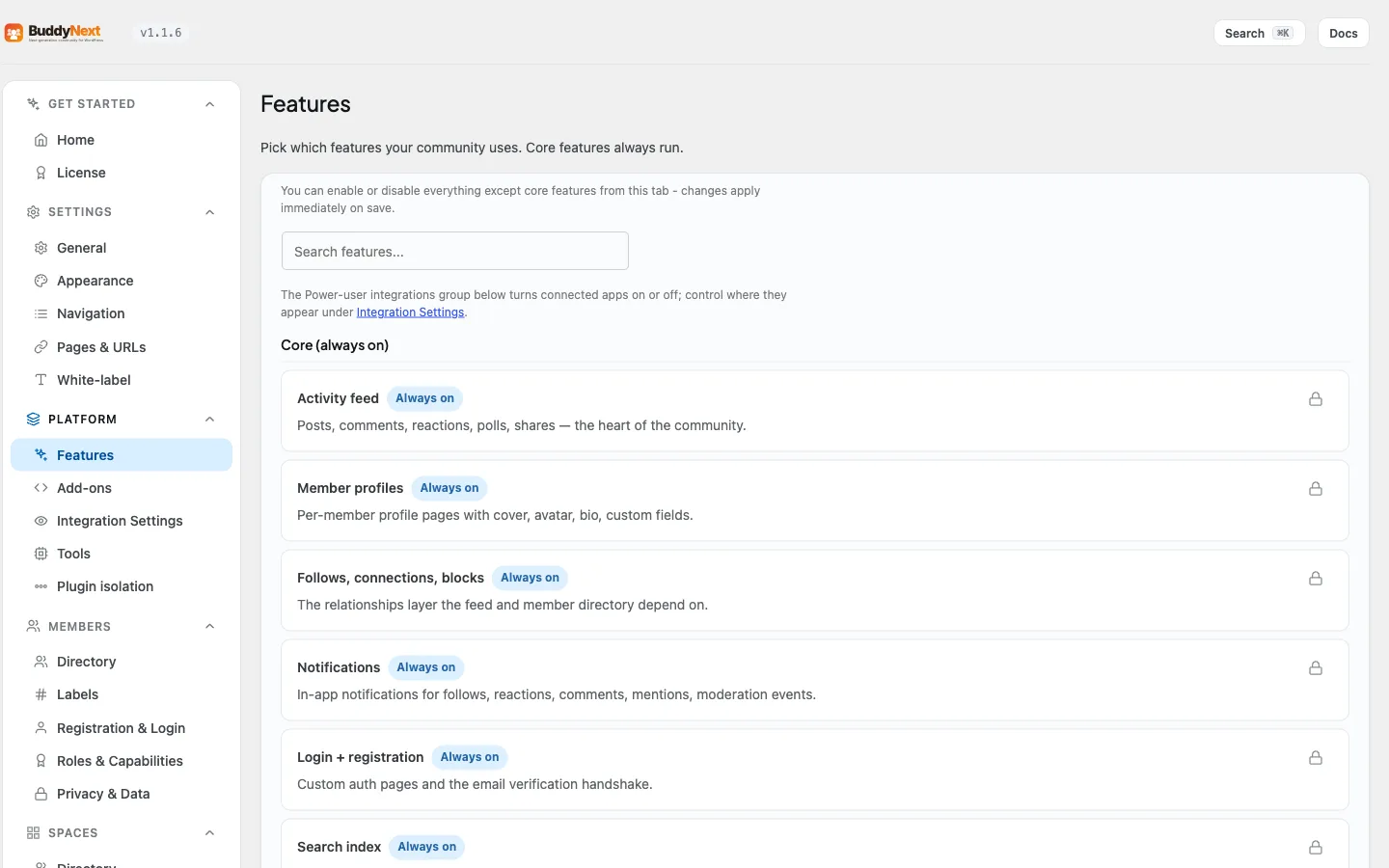
Polls are on by default. There is a single setting that controls whether members can attach a poll to a post.
| Setting | What it does | Default |
|---|---|---|
| Polls (BuddyNext > Platform > Features) | Lets members attach a poll to their posts. Turn it off to remove the poll tool from the composer for everyone. | On |
When the setting is off, the poll tool no longer appears in the composer and members post only regular text, link, and photo updates.
Good to know#
- Minimum two options, up to five. The composer offers two required option fields and three optional ones, so a poll carries between two and five choices. This keeps polls quick to read and quick to answer.
- One vote per person. Each member can hold one vote on a poll at a time. They can switch it to another option or remove it, but they cannot stack multiple votes.
- The question is required. A poll posts as a normal feed post whose text is the question, so an empty question is not allowed.
- Results are live. There is no "submit" step and no waiting. The moment a vote lands, every viewer's card reflects the new totals on their next view.
- Optional closing date. A poll can carry a closing date and time, set in the composer's "Poll ends" field. Once that time passes, the poll stops accepting votes and the card shows a "Poll closed" state; the results stay visible. Leave the field blank and the poll stays open and votable for as long as the post exists.
Related#
- Post Composer - where a poll is created
- Activity Feed - where the poll card and live results appear
- Reactions - the other low-effort way members engage with a post