
Plugin Isolation
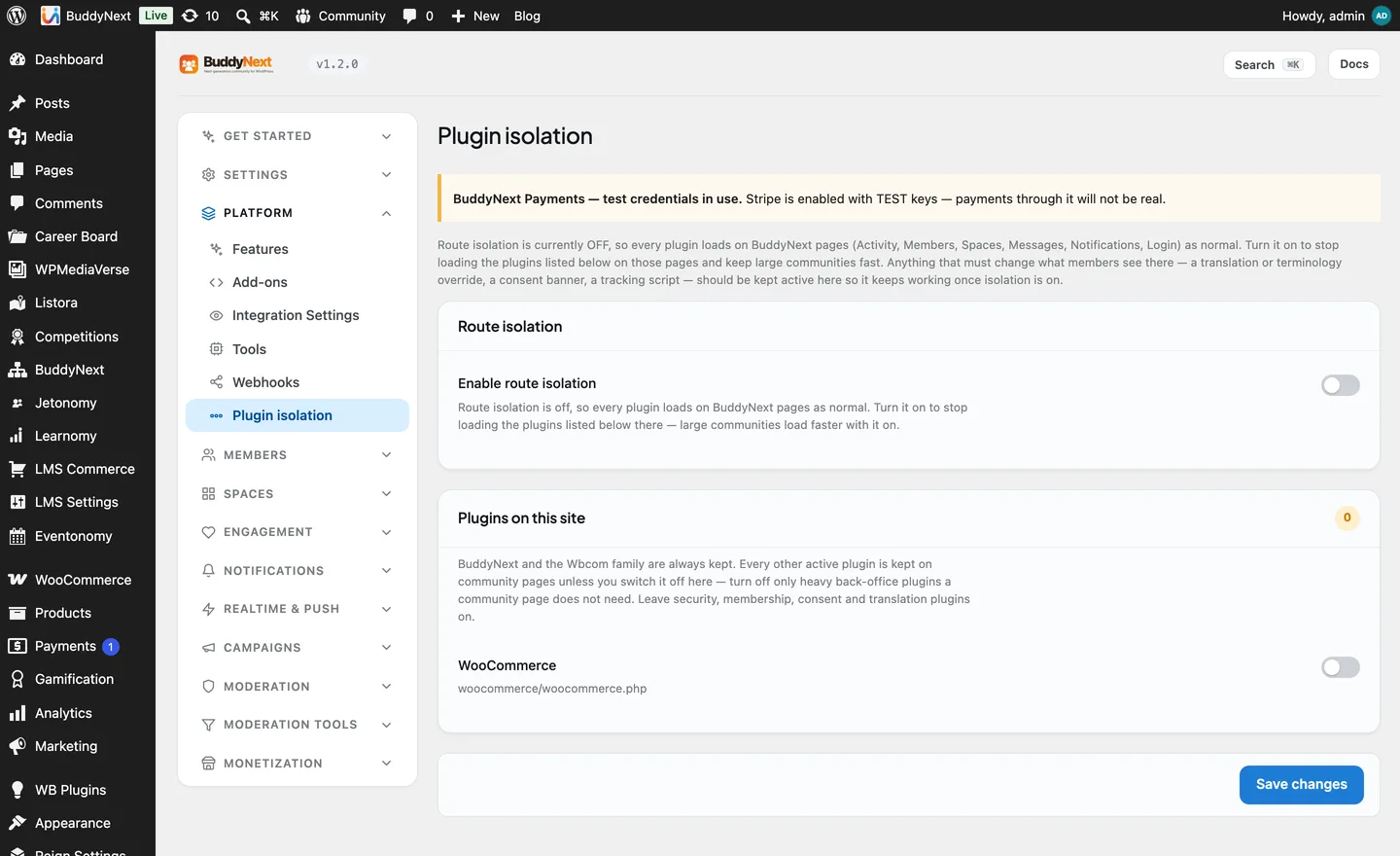
Getting Started Free & ProPlugin isolation lets you choose which other plugins load on your BuddyNext community pages. On a busy feed or a large member directory, every extra plugin that loads costs memory and time - even ones that have nothing to do with the community. Isolation lets you skip those plugins on community routes only, so the social pages stay fast, while the rest of your site runs every plugin as normal.
It is off by default, and when you do turn it on, it keeps every plugin unless you say otherwise - so it never surprises you by silently disabling something.
Why it exists#
A WordPress site often runs a page-builder, a forms plugin, a shop, an SEO suite, and a dozen smaller tools. Most of them do nothing on your activity feed, yet they still load on every request to it. On a community that serves thousands of feed views an hour, that overhead adds up.
Isolation trims it: on the feed, spaces, member, and messaging routes, you can skip the plugins those pages never use, without touching how the rest of your WordPress site behaves.
How it works#
The community pages run through a small always-on component that loads before regular plugins. When isolation is on, it consults your list and skips the plugins you chose to strip, on BuddyNext routes only. Every other page on your site is untouched.
Because it decides so early, the model is deliberately safe:
- Off by default. A fresh install runs every plugin everywhere, exactly as WordPress normally does.
- Keep everything unless you strip it. When you turn isolation on, nothing is removed until you explicitly add a plugin to the skip list. There is no guessing.
- Essential plugins are never stripped, even if you try. See the protected list below.
This is the model as of 1.1.6. Earlier versions used the opposite approach - an allow-list where you named the few plugins to keep - which made it easy to strip something important by leaving it off the list. The keep-everything default replaced it.
Turning it on and choosing what to skip#
- Go to BuddyNext > Platform > Plugin isolation.
- Turn Enable route isolation on.
- Under Plugins on this site you will see your active plugins. Switch on the ones you want to skip on community routes - the plugins your feed, spaces, and profiles do not need.
- Click Save changes.
Leave anything you are unsure about switched off; a plugin that is switched off keeps loading exactly as before. You can revisit this screen any time as you add or remove plugins.
What is always protected#
Some plugins are never stripped, no matter what, because removing them on community pages would break something you could not see was missing:
- BuddyNext and BuddyNext Pro themselves.
- The in-house integration family - WPMediaVerse, Jetonomy, WB Gamification, WB Member Blog, Career Board, Listora, Learnomy, and Eventonomy (free and Pro). These power profile tabs and panels on the community pages, so stripping them would blank exactly the features they add.
- Translation plugins (Loco Translate, Polylang) - they rewrite every string on the page, including your renamed terms like "Teams" for Spaces, and the hub routes are where that terminology matters most.
- Cookie-consent plugins - so your compliance banner still shows on community pages.
- Security plugins - kept on by default so protection is never weaker on community routes than on the rest of the site. If you have a specific reason to let one go, there is an opt-out for it.
- The object cache admin (Redis) and Query Monitor - so a performance problem on the hub can still be diagnosed with the same tools as everywhere else.
"A plugin stopped working, but only on my community pages"#
This is almost always isolation stripping a plugin the community pages actually do use. If a feature works on a normal page but disappears on the feed, a space, or a profile:
- Go to BuddyNext > Platform > Plugin isolation.
- Find that plugin in the list and make sure its switch is off (not skipped).
- Click Save changes, and reload the community page.
If it is an in-house integration, it is protected already and the cause is elsewhere - check its own settings.
Good to know#
- It changes nothing off community routes. Your homepage, shop, and blog run every plugin as always. Isolation only ever narrows what loads on BuddyNext's own pages.
- It is a performance tool, not a security boundary. The goal is memory and speed on the busiest pages, not sandboxing plugins from each other.
- New plugins are kept automatically. Because the default is keep-everything, a plugin you install later loads on community pages until you decide to skip it.
Related#
- Object Cache at Scale - the other big lever for keeping large communities fast
- Tools and Maintenance - the rest of the Platform tools
- Admin Overview - where the Platform section sits in the admin