
Hooks: Template Parts
Developer Guide Free & ProBuddyNext renders its frontend from small, reusable template parts under templates/parts/. Every part exposes the same three-hook convention so you can inject markup around it and reshape the data it renders without overriding the template. This page covers that convention and is for anyone theming or extending BuddyNext's frontend.
This is the dominant hook family in BuddyNext, by a wide margin. It is the primary theming seam, and the one you will reach for most when adjusting presentation.
Overview / Contract#
Each template part fires a consistent set of hooks named after the part. For a part named {part} the convention is:
| Hook | Type | Fired when | Parameters |
|---|---|---|---|
buddynext_part_{part}_args |
filter | Right after the part assembles its arguments, before it renders | array $args |
buddynext_part_{part}_before |
action | Just before the part's root markup is output | array $args |
buddynext_part_{part}_after |
action | Just after the part's root markup is output | array $args |
Most parts fire all three. A small number omit one, and a few add part-specific seams (described below), so the three families are not exactly equal in size. Do not assume a given part fires all three - open the part's PHP header, which lists the hooks it actually offers.
Careful with grep here. Every part's file header docblock quotes its own hook names in prose (
apply_filters( 'buddynext_part_x_args', ... )). A naivegrep -ccounts those comment lines as call sites and roughly doubles the real number. Strip comments before counting, or read the header rather than counting at all.
Many parts also expose a buddynext_part_{part}_classes filter (and occasionally _tabs or _extras) so you can add CSS classes to a part's root element or extend a specific region. These are part-specific - check the part's PHP header to see which it offers.
How a part is wired#
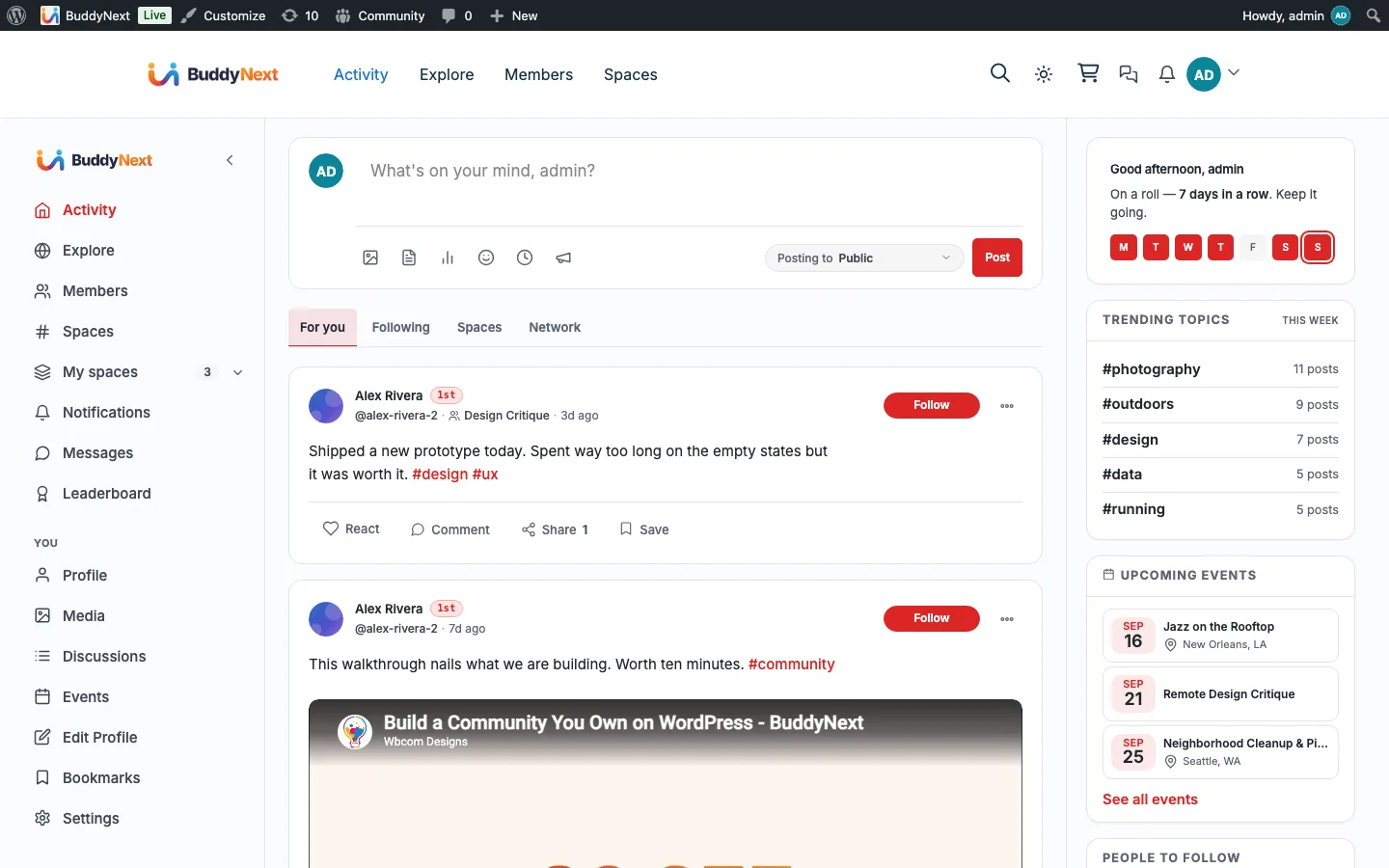
Every part follows the same shape internally. Reading templates/parts/post-actions.php (the post action toolbar - React, Comment, Share, Save buttons), the order is:
- The part collects and sanitizes its inputs into a single
$argsarray. - It runs
$argsthroughbuddynext_part_{part}_argsso you can add, remove, or rewrite values. - It runs its root class list through
buddynext_part_{part}_classes(when the part has one). - It fires
buddynext_part_{part}_beforewith the final$args. - It outputs its markup.
- It fires
buddynext_part_{part}_afterwith the final$args.
The $args array is documented in each part's file header (the @var block) and in the Fires: / Filters: comment, so the per-part contract is self-describing in the source. For post-actions the array carries bn_post, bn_post_id, bn_post_type, user_reaction, is_bookmarked, the can_* capability flags, the counts, and classes.
Note: Hooks receive
$argsafter sanitization, in the order listed above. A value you add in the_argsfilter is visible to the_classesfilter and to the_before/_afteractions, because they all run on the same already-filtered array.
Injecting markup before or after a part#
Use the _before and _after actions to add markup around a part without touching the template. Both pass the part's final $args, so your markup can be context-aware.
This example adds a small "boosted" badge after the action toolbar on posts flagged in post meta:
add_action(
    'buddynext_part_post_actions_after',
    function ( array $args ): void {
        $post_id = (int) ( $args['bn_post_id'] ?? 0 );
        if ( 0 === $post_id || ! get_post_meta( $post_id, '_my_boosted', true ) ) {
            return;
        }
        printf(
            '<span class="my-boosted-badge">%s</span>',
            esc_html__( 'Boosted', 'my-addon' )
        );
    }
);
Use _before the same way when your markup belongs ahead of the part. Escape everything you output - these actions write directly into the rendered page.
Filtering a part's arguments#
Use the _args filter to reshape what a part renders before it builds its markup. Return the modified array.
This example hides the Share button on a specific post type by clearing the can_share flag in the post-actions args:
add_filter(
    'buddynext_part_post_actions_args',
    function ( array $args ): array {
        if ( 'announcement' === ( $args['bn_post_type'] ?? '' ) ) {
            $args['can_share'] = false;
        }
        return $args;
    }
);
To add a CSS class to a part's root element, use its _classes filter. This filter receives the class array and the part's $args as a second argument:
add_filter(
    'buddynext_part_post_actions_classes',
    function ( array $classes, array $args ): array {
        if ( ! empty( $args['is_bookmarked'] ) ) {
            $classes[] = 'is-bookmarked';
        }
        return $classes;
    },
    10,
    2  // the _classes filter passes 2 arguments
);
Tip: When you only need to restyle a part, prefer the
_classesfilter over overriding the template file. It survives plugin updates, where a copied template can silently drift out of sync with the part's real markup.
Part-specific seams#
Beyond the shared convention, a few parts expose extra hooks. The exact name of each is below.
| Hook | Type | Fired when | Parameters |
|---|---|---|---|
buddynext_part_filter_strip_tabs |
filter | The filter-strip part builds its tab list. |
array $tabs, array $args |
buddynext_part_filter_strip_extras |
action | Inside the filter-strip form, after its fields, so you can inject extra fields. |
array $args |
buddynext_part_sidebar_card_body__{id} |
action | The sidebar-card part renders its body, when the card was given an id. Hook the one that matches a single card. |
array $args |
A part given a body_action, footer_action, or actions_action argument (sidebar-card, profile-edit-section, section-head) fires that named action inside the matching slot with $args.
Notes / gotchas#
- Find the exact part name and args in the source. Each file under
templates/parts/documents its$argskeys and the hooks it fires in the PHP header. The part name in the hook is the file name with hyphens replaced by underscores -post-actions.phpfiresbuddynext_part_post_actions_*,dm-composer.phpfiresbuddynext_part_dm_composer_*,member-card.phpfiresbuddynext_part_member_card_*. - Not every part exposes all five seams.
_args,_before, and_afterare the convention;_classes,_tabs, and_extrasare present only on parts that need them. The_classesfamily is the most common extra and is almost always a filter that takes(array $classes, array $args). - Always return from a filter; always escape in an action. The
_argsand_classesfilters must return the (possibly modified) array. The_before/_afteractions output directly, so run every value through the rightesc_*function. - Theming over template overrides. Template parts can be overridden by copying them into
{theme}/buddynext/, but the hook seams on this page are the lower-maintenance path: they keep your customization independent of the part's internal markup, which can change between releases. - This family is presentation, not events. For reacting to platform events (a post was created, a member was followed), use the domain hooks on the per-domain pages (27-33), not the template-part hooks. See Hooks Overview for the full map.